
Configure Squid LDAP Authentication
Configure Squid LDAP Authentication
This procedure has been tested with OpenLDAP on CentOS. Basically we are going to authenticate to our squid proxy server using OpenLDAP for http requests.
Login, and su to root

Install the LDAP Squid Module

from here make a backup of the squid configuration file
now let’s go ahead, and edit the configuration file

add the following:
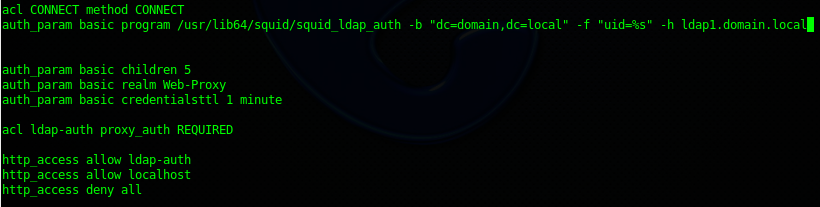
** If you are using a 64-bit system, be sure to udate the path of /usr/lib/squid to /usr/lib64/squid
once completed, remember to restart the squid service

from here test it from the computer you have already setup and connected to the proxy
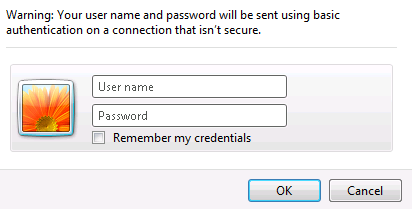
BAM! it works! That’s it!
Hosted Linux Servers at www.zwiegnet.com/go
Related guides: Load Balance Squid Reverse Proxy | Configure LDAP Server on CentOS 6
2 Comments