
Add a Disk to LVM and Expand Space
Add a Disk to LVM and Expand Space CentOS
Classic Scenario: root volume group is running out of space. What do we do? we just added another hard disk, what are the next steps? Add a New Disk
Linux Extend Disk (CentOS 6):
- pvcreate /dev/xvdf
- vgextend VolGroup00 /dev/xvdf (newdisk)
- lvextend -L100%FREE /dev/Volgroup{number}/{whatever}
- resize2fs /dev/VolGroup00/{whatever}
The below listed instructions take much longer, and are less efficient, you should use the above directions.
Here’s what we have:
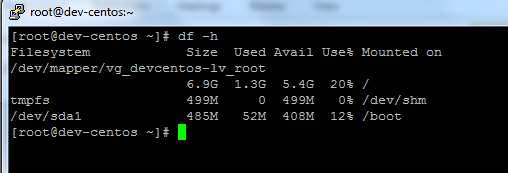
Small root LV, we want to expand to 2TB
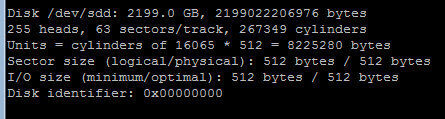
Added Hardware Disk /dev/SDD 2TB of space
Fdisk –l (list hardware disks)
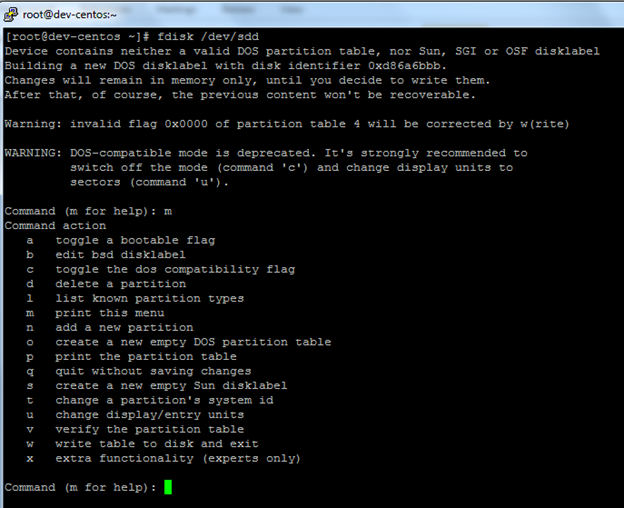
Modify disk with fdisk
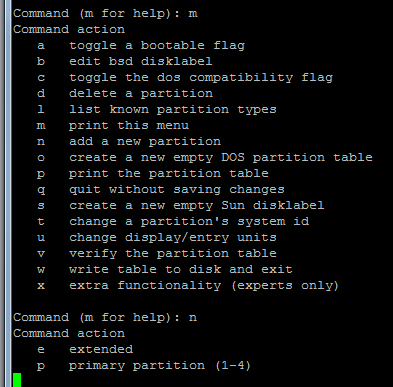
Hit m, to show the menu
Hit n to create new partition
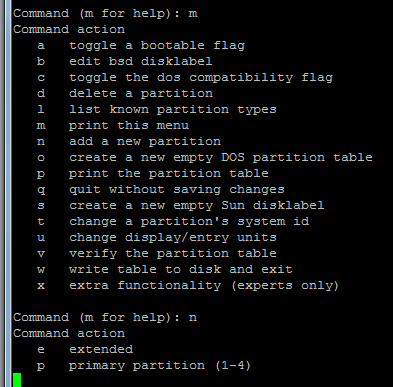
From here we will do primary
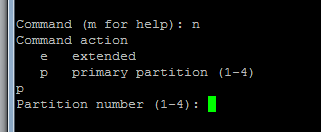
Enter Partition Number (this is the first partition on this disk, so we will do 1)
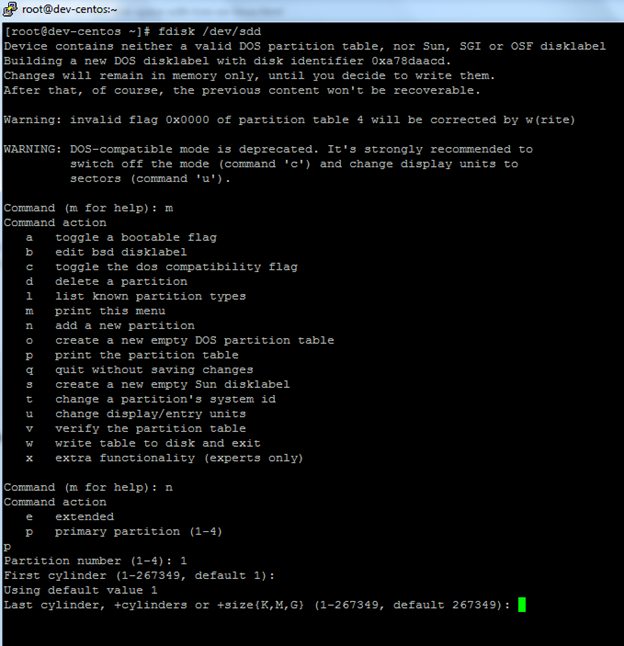
Hit Enter Two Times to use all the disk space
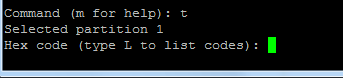
Now hit “t” so we can specify what the disk will be used for
The Hex code for Linux LVM is 8e
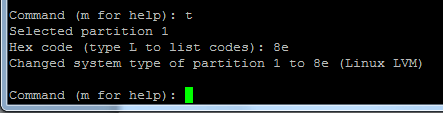
As you can see, it has been changed to a Linux LVM
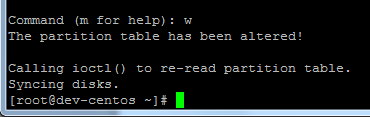
Hit w to save partition to disk, it should say syncing disks
Use pvcreate to lay down the “setup” on the physical partition.
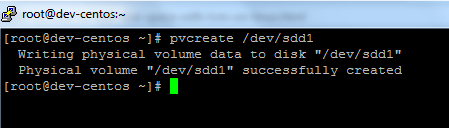
We create the physical volume with pvcreate /dev/sdd1 (allways append the one, and make sure you are using sdb/sdc/sdd or whatever your disk is.
The disk has been created/partitioned, now all we have to do is add it to the local volume
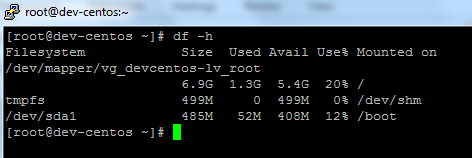
Before:
If we do a vgdisplay, this will show us the volume group (groups)
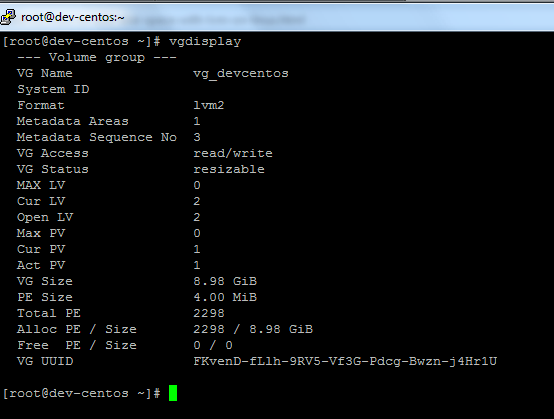
For this we only have the root VG, the VG size is about 9GB, it’s our only volume group, with the VG Name of “vg_devcentos”
Finally, we can extend with vgextend_devcentos /dev/sdd1
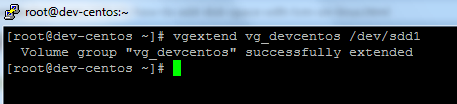
You should get confirmation of the successful extend of the volume group
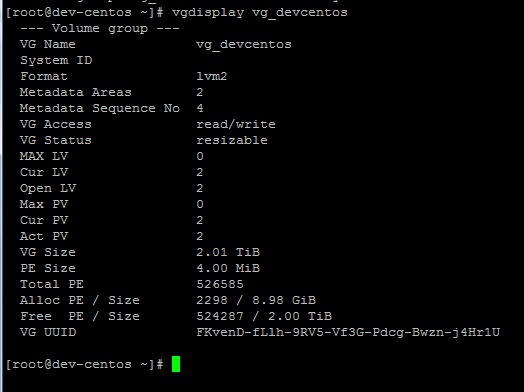
Look at that, the VG is now 2.01TB
Now all we have to do is increase the filesystem
As you can see, It’s still the same size
Cd /dev
Vg_devcentos is the root volume
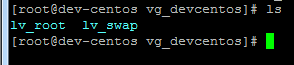
The lv_root is the root partition we are manipulating

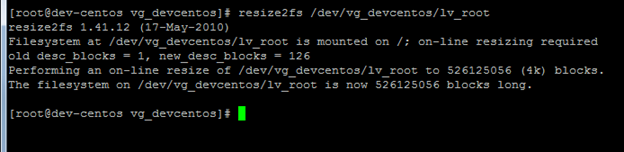
From here we need to do resize2fs /dev/vg_devcentos/lv_root
While that runs, we can see that if we open another window and do df –h
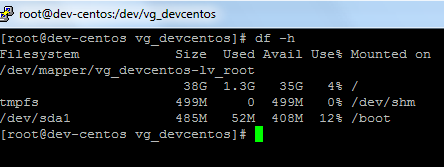
The space is starting to increase, 38GB and Growing
46!
System performance/CPU Load average will go up during this time
Hours Later……….
If we do df -h
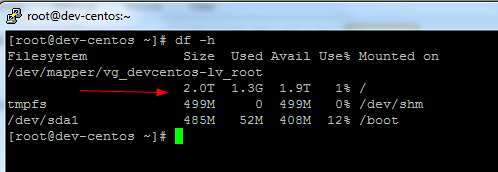
The disk has been extended
That’s it!
to get a hosted Linux Server visit www.zwiegnet.com/go to get started today
Related guides: Resizing a Physical Volume CentOS 6 | Add new Hard Drive to CentOS Linux
1 Comment