
This guide mounts an NFS share on a CentOS 5 client. CentOS 5 uses the older RPC stack: portmap instead of rpcbind, and NFSv3 when you mount with -t nfs. Most of the troubleshooting below comes down to RPC.
On CentOS 6? Use Mount NFS Share on CentOS 6: rpcbind, NFSv4 Defaults, idmapd and fstab instead. CentOS 6 replaced portmap with rpcbind and tries NFSv4 first, so the services and some fixes are different.
1. Install the client packages
yum install nfs-utils portmap2. Start portmap and the lock service
NFSv3 needs portmap for RPC and nfslock (rpc.statd) for file locking:
service portmap start
chkconfig portmap on
service nfslock start
chkconfig nfslock on
3. Check the server before mounting
rpcinfo -p 192.168.1.112
showmount -e 192.168.1.112
rpcinfo should list portmapper, mountd and nfs. showmount -e lists the exported paths.
4. Create a mount point and mount
mkdir /mnt/NFS
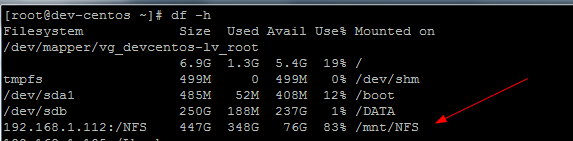
mount -t nfs 192.168.1.112:/NFS /mnt/NFS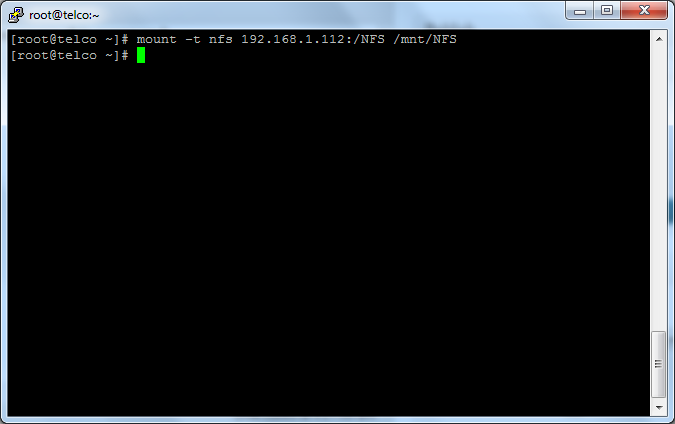
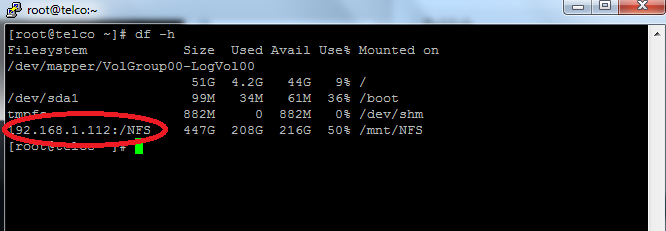
Check it with df -h. The remote share shows up like a local disk:
5. Make it permanent in /etc/fstab
Otherwise the mount is gone after the next reboot. Add a line like this:
192.168.1.112:/NFS /mnt/NFS nfs defaults 0 0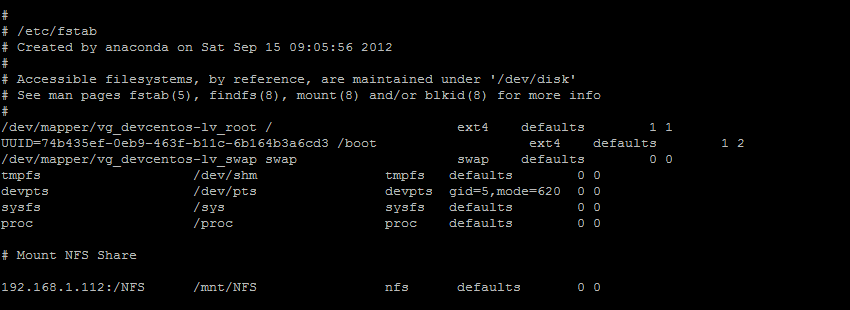
For a share that must not hang processes forever, hard,intr is the classic CentOS 5 choice. The 2.6.18 kernel still lets you interrupt a hung NFS operation with Ctrl+C when intr is set. Also enable netfs so network filesystems mount at boot once the network is up:
chkconfig netfs onTest the fstab entry without rebooting. This mounts everything in fstab that isn’t mounted yet, so do it in a maintenance window:
mount -a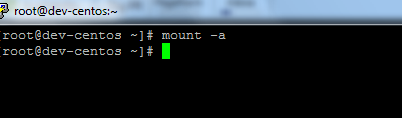
Troubleshooting RPC mount errors
- “mount: RPC: Port mapper failure – RPC: Unable to receive”: portmap isn’t running on one side, or a firewall is blocking port 111.
- “RPC: Program not registered”: the NFS service isn’t running on the server. Check with
rpcinfo -p server. - “mount: … failed, reason given by server: Permission denied”: the client isn’t allowed in
/etc/exports. Runexportfs -raon the server after fixing it. - Hangs on mount through a firewall: mountd and statd use random ports. Pin them in
/etc/sysconfig/nfson the server and open those ports.
Unmount
umount /mnt/NFSThe command is umount, not “unmount”. I’ve made that mistake thousands of times. For the server side on this release, see Configure NFS for CentOS 5.
That’s it! If you found this article helpful, consider getting a hosted Linux server at https://zwiegnet.com/go
Related guides: Mount NFS Share on CentOS 6: rpcbind, NFSv4 Defaults, idmapd and fstab | Configure NFS for CentOS 5
1 Comment