
Configure osTicket for LDAP Authentication
Configure osTicket for LDAP Authentication
In this case we are configuring osTicket for OpenLDAP authentication with our in-house LDAP. At this point i’m assuming you already have osTicket installed, and are somewhat familiar, and you are running on a Linux LAMP configuration.
first thing first, if you have not already install php-ldap plugin
yum -y intall php-ldap
service httpd restart
Download the Plugin for osTicket
go to http://osticket.com/download
Select “plugins” and download the Authentication Plugin
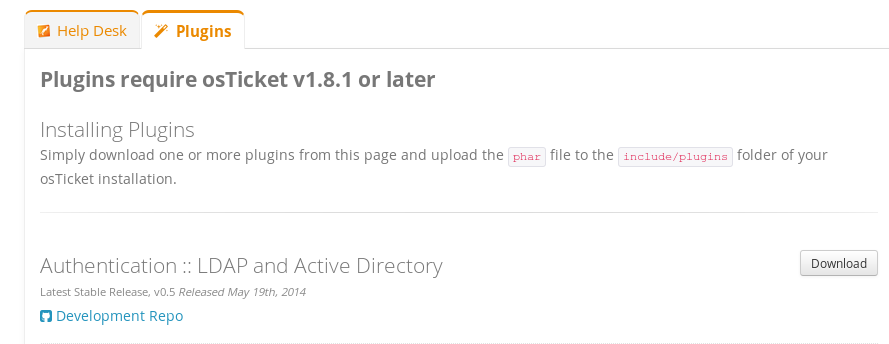
in the admin panel of osticket, browse to “manage –> plugins“
upload/install the the .phar file for LDAP
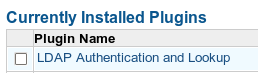
click on the plugin to configure
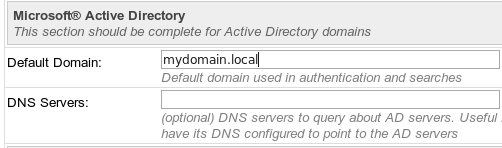
even though we are not using active directory, we need to put in our DNS name (obviously start filling in details specific to your environment)
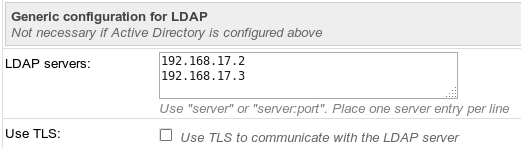
now add the IP addresses of the LDAP server(s)
confiugure search as follows:
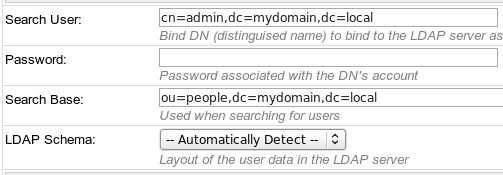
save changes….
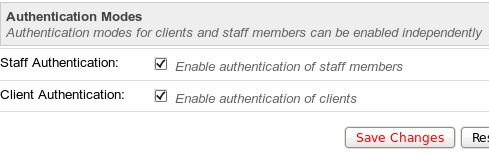
now if you browse to “staff –> staff members” add a new account
now wehn you are creating account, you will notice that your LDAP info will start filling in
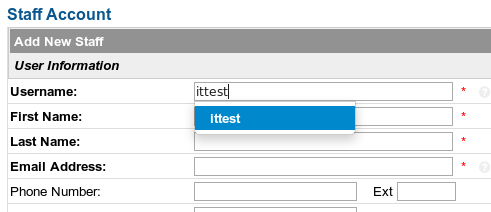
make sure to set the authentication backend to use LDAP
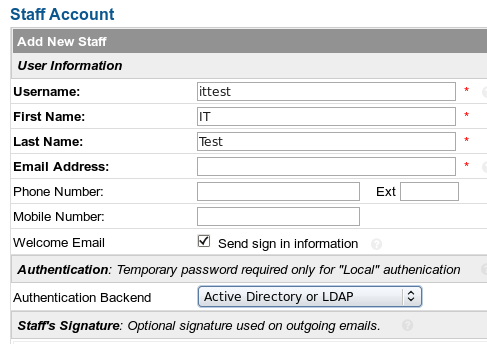
you should now be able to login as your LDAP user to osticket, enjoy!
Hosted Linux Servers at www.zwiegnet.com/go
Related guides: Configure Squid LDAP Authentication | Reset LDAP Password Command Line