
Un-Install Zimbra Community CentOS 6
Un-Install Zimbra Community CentOS 6
This blog walks you through the un-installation of Zimbra on CentOS 6, if for whatever reason a step was missed, or done incorrectly, or you are un-installing.
** NOT RESPONSIBLE FOR DATA LOSS!! *** HAVE A BACKUP BEFORE PROCEEDING
cd /opt (or whatever directory zimbra is installed in)

from here, as you know you used the install.sh to install.
Issue the following command to un-install

from here completely remove installation by hitting Y, ALL DATA WILL BE LOST!!!!
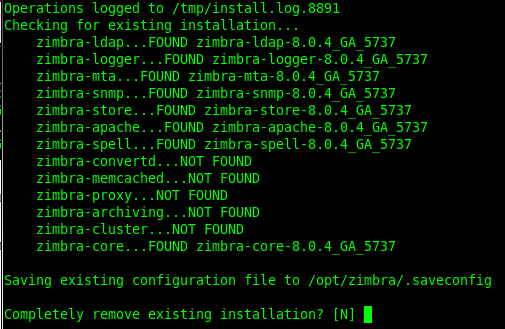
Done!
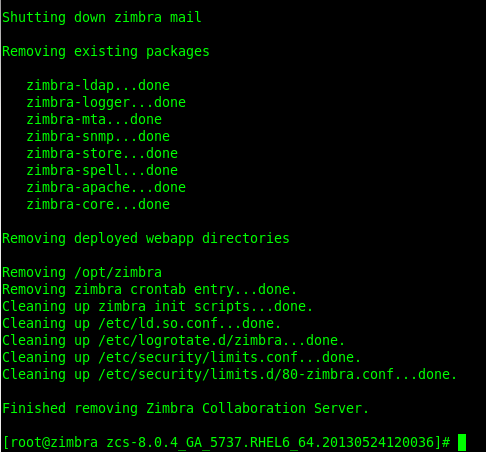
from here delete all the older config files

That’s it, you have Un-Installed Zimbra Community on CentOS 6
Hosted Linux Servers at www.zwiegnet.com/go
Related guides: Install Zimbra Community CentOS 6 | Upgrade Zimbra Community Version CentOS 6