
Robocopy Fileserver Migration
Robocopy dates back to Windows NT, the syntax for it is pretty easy, (especially if you have used UNIX/Linux In the past) but is easy to learn out of the gate as well.
Robocopy is a command line utility that moves files to/from one directory/share to another. In it’s simplest form it can be used as shown below:
robocopy /A /SEC C:RobocopyFolderA C:FolderB > C:log.txt
as you can see it copies the directory, and it’s contents from c:Folder A to C:FolderB with the /A that keeps “archinve” or time stamps the same, /SEC option allows to keep file/folder permissions the same, and then this creates a log of the job in C:log.txt
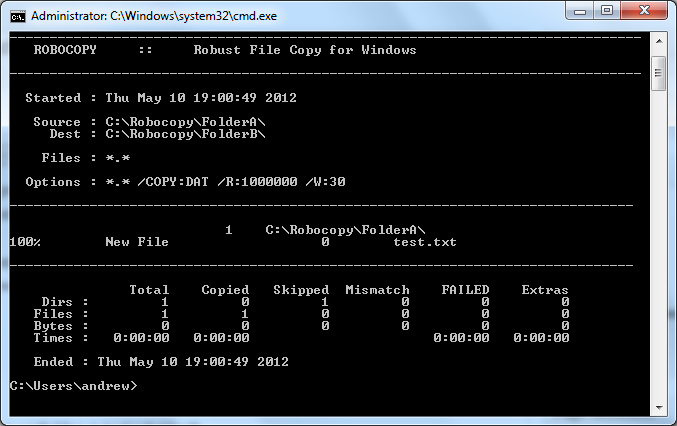
this will give some stats such as total files, dirs, space, any skipped, etc.
you can also incorporate UNC pathts to shares such as the following example:
robocopy C:RobocopyFolderA \san1Test
so as you can see, i moved Folder A on the local C drive to our storage san1 in the “test” share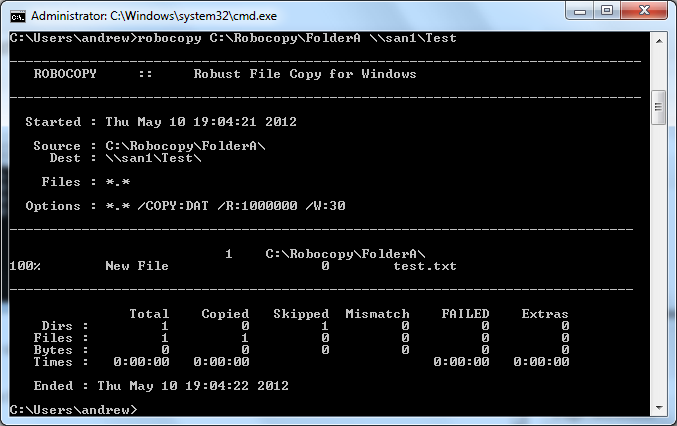
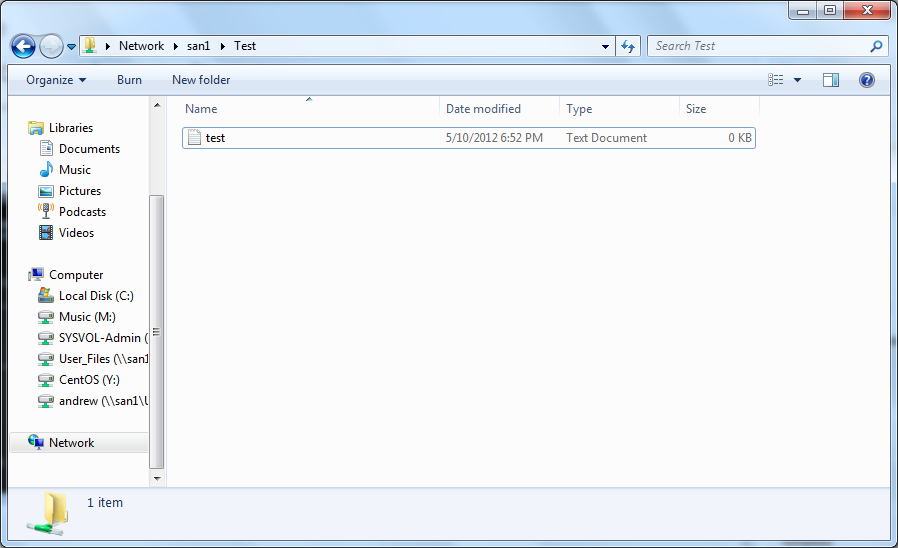
as you can see my test tile made it to the storage server. This can also be used to copy windows shares to windows shares, if you are migrating, or moving to a new nas/san appliance for you storage servers, this utility will make the whole process quick and easy.
That’s it for my basics on robocopy, Thanks for reading this blog post!
Related guides: Map a network Drive Windows | Remove Rogue DFS Namespace