
Install Adobe Reader CentOS 6
Install Adobe Reader CentOS 6
If you have a Linux Desktop, or Application Server, one of the key applications you may need is Adobe Reader. Original Reference: http://www.if-not-true-then-false.com/2010/install-adobe-acrobat-pdf-reader-on-fedora-centos-red-hat-rhel/ This brief tutorial goes through the basics of getting Adobe Reader installed for a multi-user system. Let’s get started. Login, and su to root

Install/Configure the Repo

from here we will install the Adobe Reader Package

as we can see, adobe reader is installed, however there is a few more steps required for CentOS
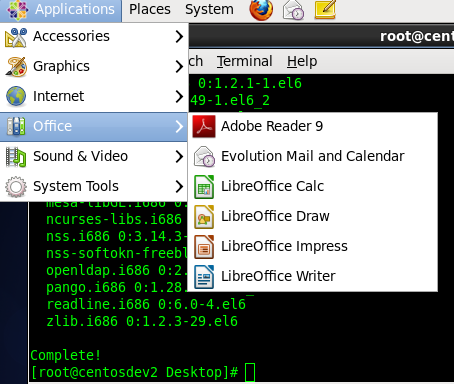
at this point we are going to try to manually launch adobe, cd to the below path
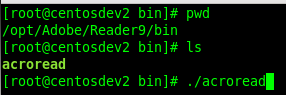
adobe reader will launch, however it’s missing a few prerequisites (although it will still launch, may cause issues later on)

here’s the command we need to run to install the prerequisites:

the Final, and Somewhat important step, is to allow the application to be used by multiple users. If you have a directory Structure such as NIS, LDAP, or Active Directory, you will need other users to be able to use the application. For Adobe to work for multiple users, we need to enable a service

Done! That’s how we install Adobe on CentOS 6.4 Linux
Hosted Linux Servers at www.zwiegnet.com/go
Related guides: Install RPM Package on CentOS Linux | Downgrade package CentOS 6