
Downgrade package CentOS 6
Downgrade package CentOS 6
In this rare scenario, my screenshot application does not work properly when i upgraded shutter to shutter.noarch 0:0.89.1-2.el6.nux. Here’s the basic process i used to get the application working again
login, and su to root

the first thing to do is kill all running instances of the program, in this case it’s called shutter

now type the magic command yum downgrade {application name}

that will install the previous version available from the repo
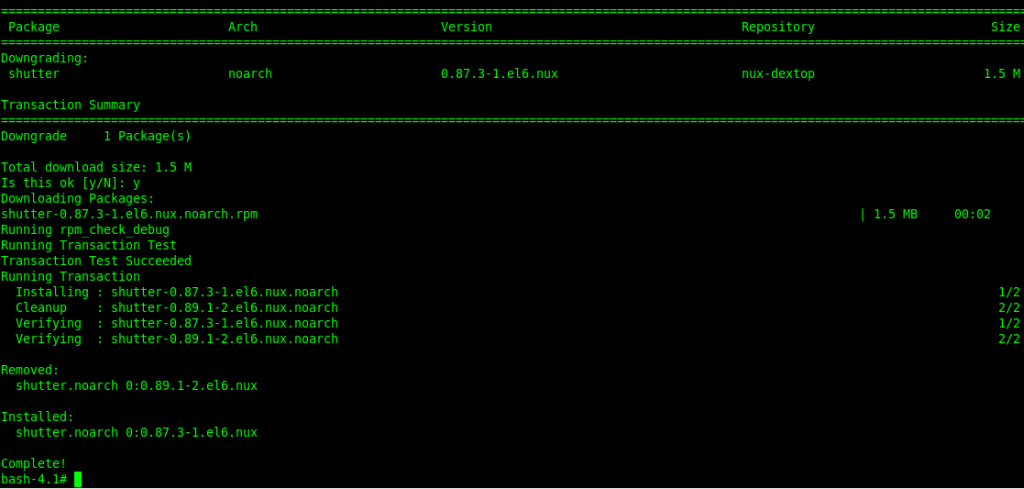
yay! now it works again!
Hosted Linux servers at www.zwiegnet.com/go
Related guides: Developing Applications for RHEL/CentOS · find shared libraries for binary ldd · Configure Fail2Ban on CentOS
4 Comments