
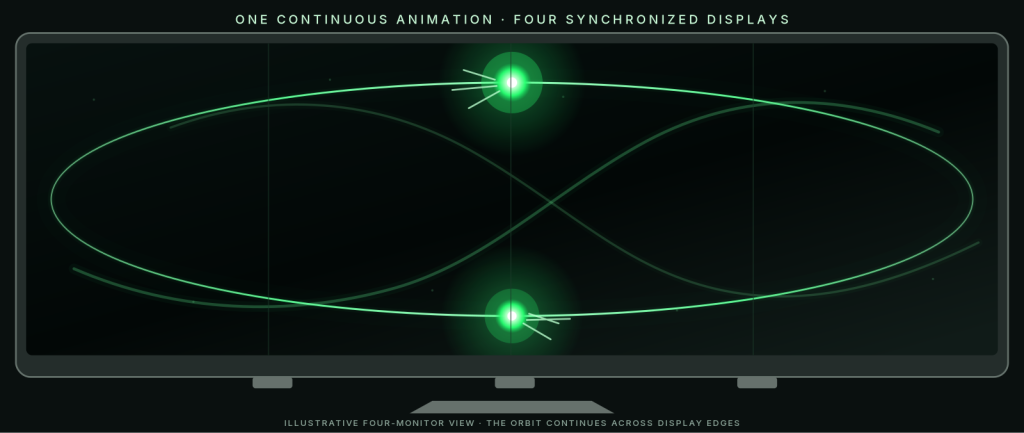
Swordfish, the open-source plasma-beam screensaver that draws one continuous orbit across a whole wall of monitors, has grown up since the first look at version 0.2.0. Version 0.2.1 adds a native KDE Plasma 6 Screen Locking background with a full settings panel, more color themes, configurable orbs and comet trails, native packages for Ubuntu, Debian, Kali and Enterprise Linux 10, and an optional idle launcher. This post covers what’s new and how to set it up.
Project on GitHub: azwieg103/swordfish-screensaver
What’s new in Swordfish 0.2.1
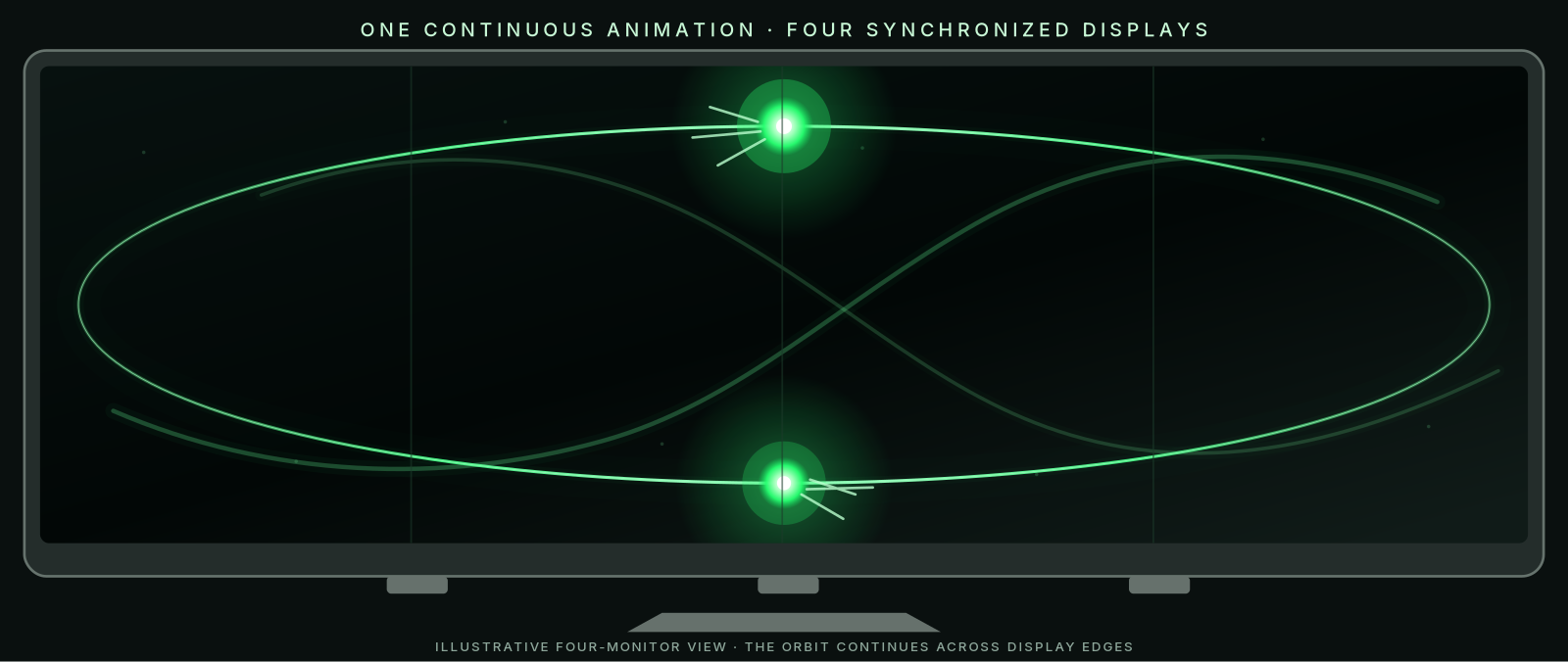
- Synchronized multi-monitor output on one shared animation timeline, including wide four-monitor layouts.
- Orbit shapes: circle, oval, wide oval and tall oval.
- 1–8 moving plasma orbs with adjustable brightness, glow and comet-trail length.
- Meteor flames behind the orbs, with adjustable intensity.
- Direction: clockwise, counterclockwise, or random, which alternates every three cycles.
- Nine color themes: Classic, Lime, Emerald, Teal, Ice Blue, Amber, Violet, White and Fireball (red/orange).
- Blackout timing: a configurable blank interval between appearances.
- Optional date and clock in the Plasma 6 lock-screen integration.
Use Swordfish as your KDE Plasma 6 lock-screen background
The Enterprise Linux 10 RPMs include the Swordfish Plasma package. After installing, open System Settings → Screen Locking, choose Swordfish Plasma as the background and adjust its settings. This is the lock-screen chooser, not the desktop wallpaper. The Plasma renderer shares one native animation clock across display instances, so the orbit continues smoothly across monitor boundaries.
If the new background doesn’t appear right away, restart Plasma Shell or log out and back in:
kquitapp6 plasmashell 2>/dev/null || true
plasmashell --replace
The settings panel exposes:
| Setting | Values |
|---|---|
| Show time / show date | On or off |
| Clock format | 24-hour or 12-hour |
| Color theme | Classic, Lime, Emerald, Teal, Ice Blue, Amber, Violet, White, Fireball |
| Animation speed | 0.1×–3.0× |
| Orbit shape | Oval, Circle, Wide oval, Tall oval |
| Travel direction | Random (alternate every three cycles), Clockwise, Counterclockwise |
| Number of orbs | 1–8 |
| Meteor flame intensity | 0–200% |
| Glow intensity | 10–100% |
| Orb brightness | 10–200% |
| Orbit size | 50–120% |
| Trail length | 5–100% |
| Blackout duration | 0–60 seconds |
| Beam width | 5–60 |
Keep Plasma’s normal screen locking and password authentication on. Swordfish supplies the animation, not the security.
Install on AlmaLinux, Rocky, Oracle Linux or CentOS Stream 10
Every successful push to main publishes a GitHub Release with binary and source RPMs for AlmaLinux 10, Rocky Linux 10, Oracle Linux 10 and CentOS Stream 10. A release is only published when all four distribution builds succeed. Grab the RPM for your distribution from the releases page and install it:
sudo dnf install ./swordfish-screensaver-*.rpmThe release also carries debuginfo and debugsource RPMs. You only need the main package.
Packages for other platforms
GitHub Actions builds and tests a wide matrix. Here is what each platform gets:
| Platform | Format |
|---|---|
| Ubuntu 22.04, 24.04, 26.04 | Native .deb |
| Debian 12, 13 | Native .deb |
| Kali Rolling | Native .deb |
| AlmaLinux, Rocky, Oracle Linux, CentOS Stream 10 | Native .rpm (with Plasma 6 integration) |
| Fedora 43, 44 / Arch Linux / FreeBSD 14.3, 15.0 | Tested executable .tar.gz |
| macOS 26 (Intel and Apple Silicon) | SDL app bundle in a .zip |
| Windows x64 | Standalone .exe in a .zip |
The Ubuntu, Debian and Kali builds are downloaded as GitHub Actions artifacts from the project’s Build workflow (open a successful run and scroll to Artifacts). Extract the ZIP and install the .deb with apt:
sudo apt update
sudo apt install ./swordfish-Ubuntu-24.04-amd64.deb   # or your release
Be clear on the limits. The macOS build is not a native .saver module, the Windows build is not a native .scr, and only the EL10 RPMs include the Plasma lock-screen integration. Solaris 11.4 has a build script but is not CI-verified.
Run it by hand
swordfish-screensaver --windowed     # preview window
swordfish-screensaver                # fullscreen on all displays
swordfish-screensaver --monitor 0    # one display (zero-based)
Press Esc or Q to quit and F to toggle fullscreen. On the command line you can also pass --green classic|lime|emerald|teal, --orbs 1-8 and --beam-width 5-60. The full theme list and other visual controls live in the Plasma settings panel.
Optional idle launcher (GNOME and X11)
On desktops other than KDE, swordfish-idle can start the app after a period of inactivity and close it when you touch the keyboard or mouse. It uses GNOME’s Mutter idle monitor over D-Bus, or xprintidle on X11. It does not support KDE Wayland yet, and it isn’t a screen locker. To enable it for your user:
mkdir -p ~/.config/autostart
cp /usr/share/applications/swordfish-idle.desktop ~/.config/autostart/
Settings go in ~/.config/swordfish-screensaver.conf. The default delay is five minutes:
IDLE_TIMEOUT_MS=300000
GREEN=emerald
ORBS=1
BEAM_WIDTH=14
Delete the autostart file to turn it off.
Build from source
You need CMake 3.20 or newer, a C++17 compiler, Git, OpenGL, and SDL2 development files. If SDL2 isn’t found, CMake downloads the pinned SDL2 2.30.11 source, so the first configure needs network access. On EL10:
sudo dnf install -y cmake gcc-c++ git make SDL2-devel mesa-libGL-devel \
  libX11-devel libXext-devel libXrandr-devel libXrender-devel \
  libXfixes-devel libXi-devel libXcursor-devel libXinerama-devel
git clone https://github.com/azwieg103/swordfish-screensaver.git
cd swordfish-screensaver
cmake -S . -B build -DCMAKE_BUILD_TYPE=Release -DBUILD_TESTING=ON -DSWORDFISH_BUILD_PLASMA6=OFF
cmake --build build --parallel
ctest --test-dir build --output-on-failure
./build/swordfish-screensaver --windowed
To build the Plasma 6 lock-screen package too, enable EPEL and CRB, install extra-cmake-modules libplasma-devel kf6-kcoreaddons-devel qt6-qtbase-devel qt6-qtdeclarative-devel qt6-qtshadertools-devel, and configure with -DSWORDFISH_BUILD_PLASMA6=ON followed by sudo cmake --install build-plasma. The README also has dependency lists for Debian/Ubuntu, Fedora, Arch, FreeBSD, macOS and Windows (vcpkg).
Troubleshooting
- Swordfish Plasma is missing from Screen Locking: restart plasmashell or log out and back in. Only the EL10 RPM ships the Plasma package.
- Idle launcher does nothing on KDE Wayland: that backend isn’t supported yet. Use the Plasma lock-screen background instead.
- Idle launcher does nothing on X11: install
xprintidle. - Rendering differs on your GPU: CI proves the code builds and passes tests, not that it renders identically on every GPU, driver and compositor. Bug reports with your GPU, driver, display layout and Wayland/X11 details are welcome.
License
The source code is GPL-3.0-or-later, and the four-monitor artwork is CC0 1.0. The animation is entirely procedural, and the project notes that it is not affiliated with any film studio or rights holder. Source, packages and issues: github.com/azwieg103/swordfish-screensaver.