
Configure NFS for CentOS 5
Configure NFS for CentOS 5
this process dates back to the 80’s and Sun Mounts, so this should be nothing new to the veterans, but it never hurts to revisit how to do a good old fashioned mount.
open your console window, and let’s get NFS installed with the following command:
yum install nfs-utils
from there once installed issue the following command to make sure it comes up on startup/reboot:
chkconfig nfs on
start the service with the following comand:
service nfs start
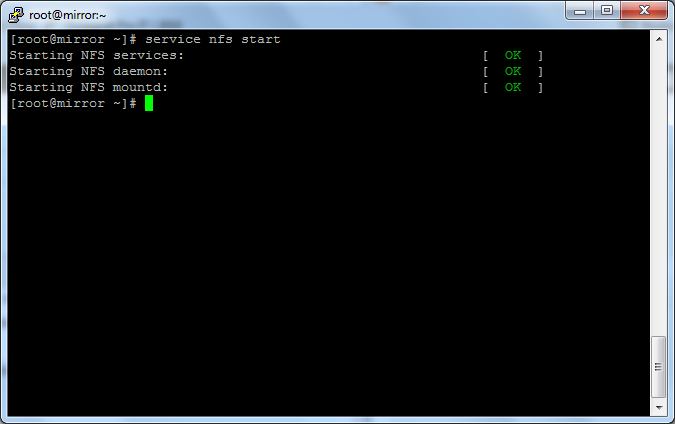
it should look similar
from there, create the directory that you want to share, what i usually do is create a folder in the root called NFS (this is how creative us UNIX/Linux people are)
mkdir /NFS
make the directory read/writable
chomod a+w /NFS
from here we need to tell NFS that we want to share that folder, so use the following command to edit the NFS exports config:
vi /etc/exports
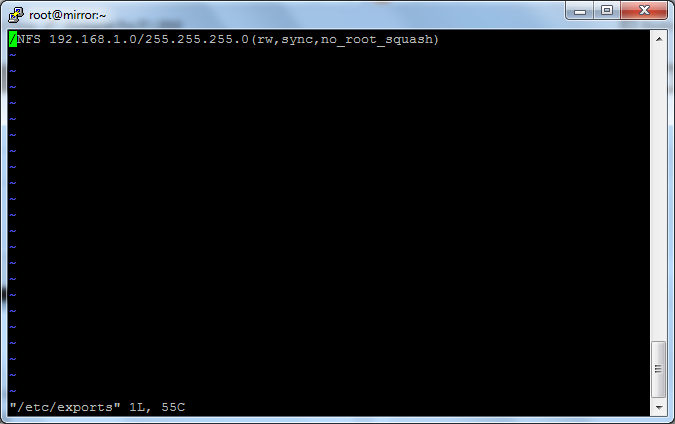
it should look alot like the above example (edit your network/subnet mask settings)
save+quit
restart nfs:
service nfs restart
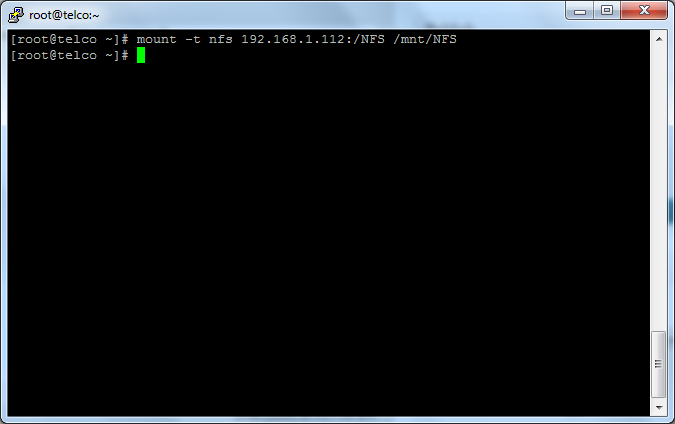
from here we are fully running NFS on this CentOS server, we just need to test it to see if we can mount, go to another Linux box and login.
you have to install nfs-utils for this to work, so issue the following command:
yum install nfs-utils
from here we need to make a folder that will let us mount the Share, so use this command:
mkdir /mnt/NFS
start the portmap service, and set it to start on startup:
service portmap start
chkconfig portmap on
from here all we need to do is mount with the next command:
mount -t nfs ip-of-server:/NFS /mnt/NFS
as you can see this successfully mounted, to verify type the following:
df -h
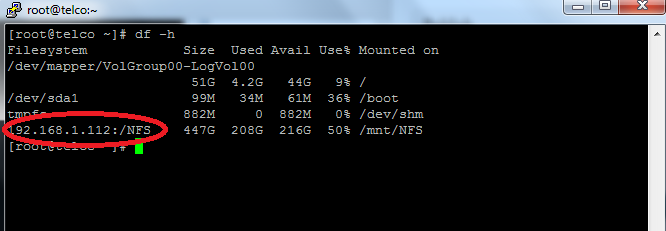
as you can see, the remove volume shows up as a local disk, you have successfully mounted NFS Share!
now all we need to do is add the command to startup:
vi /etc/rc.d/rc.local
it should look like so:
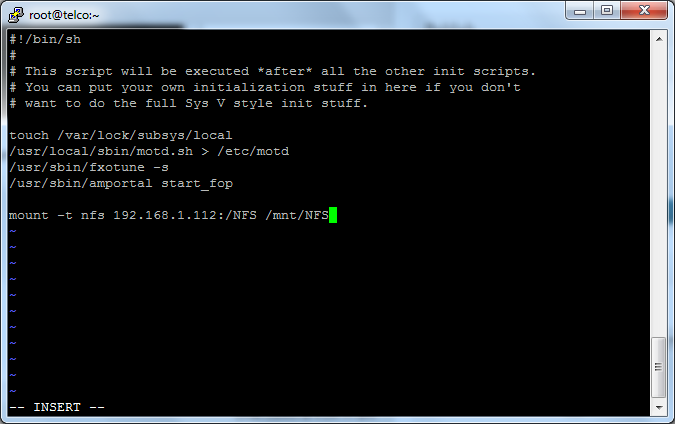
Save+quit
to unmount the NFS Share type the following command:
umount /mnt/NFS
*** the command is UMOUNT not un-mount *** i have made this mistake 1000’s of times.
That’s It! If you found this article helpful, zwiegnet.com/go for Linux Consulting
Related guides: Mount NFS Share on CentOS 5 | Setup NFS Server on CentOS 6