
Install Git on CentOS 6
Install Git on CentOS 6
if you need version control, and code management system (possibly because of issues with developers breaking things ), then Git is your “go-to.” You should also be aware that Git was designed by Linus Torvalds, the creator of the Linux kernel, specifically for Kernel Development (but can be used for many other things)
Let’s get started, login and su to root

install the EPEL repo

now let’s install git
in this case we need to make a repo for a Production Website (edit the username for what you want)

change to that directory

from here we need to start/initialize git

now create a file in that directory

add all files to Git repo
now commit the changes

add a comment
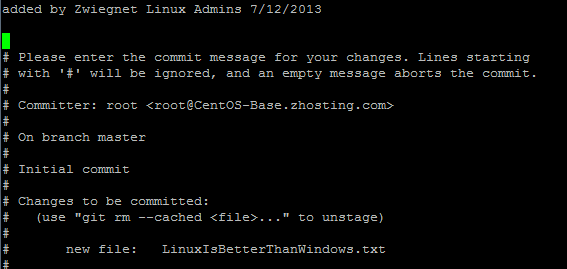
bam! committed!
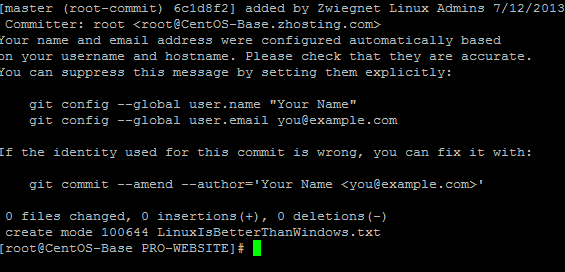
That’s it! You have successfully configured Git. Enjoy!
To get a hosted Linux Box visit www.zwiegnet.com/go to get started today!
Related guides: Install RPM Package on CentOS Linux | Build RPM From Source