
Install and Configure phpLDAPadmin on CentOS 6

Install and Configure phpLDAPadmin on CentOS 6

Install and Configure phpLDAPadmin on CentOS 6

phpLDAPadmin setup: Install and Configure phpLDAPadmin on CentOS 6

This blog assumes you went through the following setup steps up until this point: http://blog.zwiegnet.com/linux-server/configure-ldap-server-on-centos-6/

login to your LDAP server and su to root

phpLDAPadmin setup: login to your LDAP server and su to root

wget the epel repo

wget http://mirror-fpt-telecom.fpt.net/fedora/epel/6/i386/epel-release-6-8.noarch.rpm

phpLDAPadmin setup: wget http://mirror-fpt-telecom.fpt.net/fedora/epel/6/i386/epel-release-6-8.noarch.rpm

from here we need to install phpLDAPadmin

phpLDAPadmin setup: we need to install phpLDAPadmin

from here edit the config file

phpLDAPadmin setup: edit the config file

un-comment line 397, comment line 398. It should look like so:

phpLDAPadmin setup: un-comment line 397, comment line 398. It should look like so

now we need to edit another config file

phpLDAPadmin setup: we need to edit another config file

add your local subnet so you are able to view phpldapadmin
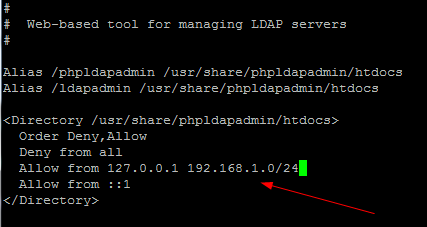
phpLDAPadmin setup: add your local subnet so you are able to view phpldapadmin

set Apache to start on startup, and then start the service

phpLDAPadmin setup: set Apache to start on startup, and then start the service

now browse to the following URL:

http://serverhostname/ldapadmin
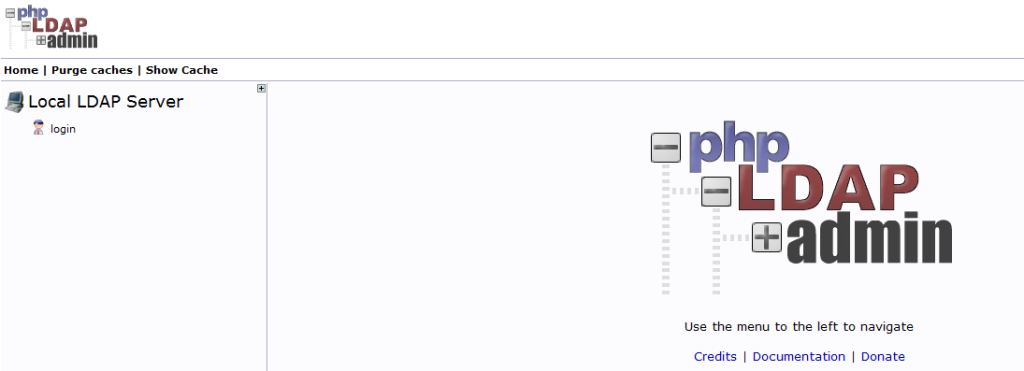
phpLDAPadmin setup: http://serverhostname/ldapadmin

hit login
phpLDAPadmin setup: hit login

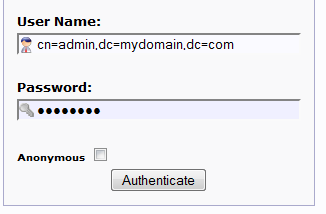
in the above box, type in the admin user, and use the slapd password (not the hash, but the phrase)
phpLDAPadmin setup: in the above box, type in the admin user, and use the slapd password (not the hash, but the phrase)

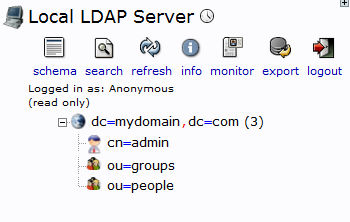
you should now be logged in! That’s it!

Hosted Linux servers at www.zwiegnet.com/go

Leave a Reply

Your email address will not be published. Required fields are marked *