
Disable Apache Version
Disable Apache Version CentOS 6
For security reasons, it’s usually a good idea to disable the apache version of you public webserver, that way if there is a security issue with the version that’s running, it cannot be as easily verified, and exploited. Let’s get started.
Login to your webserver, and su to root
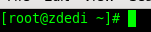
edit the Apache Configuration

find the line about server signature
change it to ServerSignature Off

find this line

change it as follows:

now restart apache

That’s it!
Hosted Linux Servers at www.zwiegnet.com/go
Related guides: Install Apache on CentOS 6.4 | Force Apache to Always Use HTTPS/SSL CentOS 6