
Setup NFS Server on CentOS 6
Setup NFS Server on CentOS 6
NFS server has been around for a long time, since the days of Solaris and Early UNIX Systems, NFS still has a lot of advantages over modern File Servers, if UNIX, or Linux is used heavily (or at all) NFS may be an option to share files/folders/shares on your network.
let’s get started (be aware that most NFS functions require root access, so login as your normal user, and then su to root)
from here we are going to create the directory that we want to share with other clients/servers, so type the following command:
mkdir /NFS
This creates a folder in the Root of the Local Volume named “NFS”
now we have to set the folder to allow it to be written to, so issue this command:
chmod a+w /NFS
now we need to actually install NFS server on our local server, so type the following command:
yum -y install nfs-utils rpcbind
this will install NFS Utilities and RPCbind packages
once installed, we need to set the following services to run on startup, to do so, use the following commands:
chkconfig nfs on
chkconfig rpcbind on
chkconfig nfslock on
For this tutorial we have SELinux Disabled and IPtables disabled, please add the rules as necessary if you are using these secfurity features
from here we have to tell the NFS Server to share a folder over NFS, so type the following:
vi /etc/exports
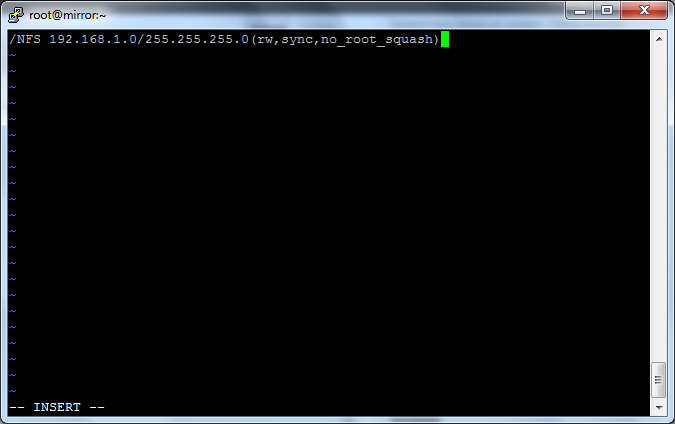
add the following line to the config:
/NFS 192.168.1.0/255.255.255.0(rw,sync,no_root_squash)
save and quit
from here we just need to start our services with the following:
service rpcbind start
service nfs start
service nfslock start
from here all we have to do is export the file system to make it available with this command:
exportfs -a
That’s it!
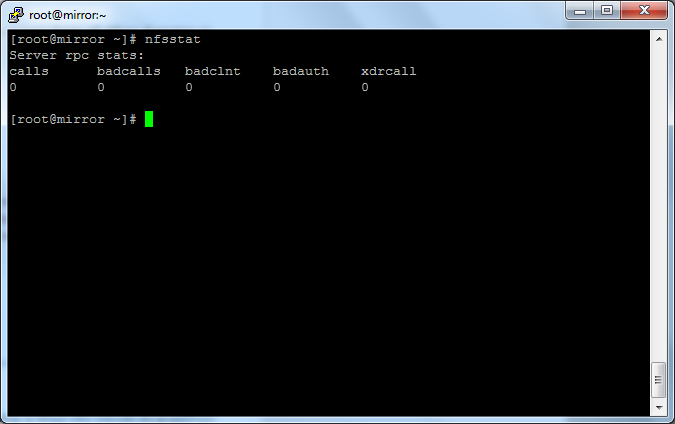
to view your active connections, type the following command: nfsstat
That’s It!
If you are interested in a Hosted CentOS Server visit www.zwiegnet.com/go to get started today!
Related guides: Mount NFS Share on CentOS 6 | NFS Export to Multiple Hosts