
Configure Internal DNS Server CentOS,Redhat Linux
Configure Internal DNS Server CentOS,Redhat Linux
If you are looking to setup an Internal-Only DNS server, than this article is what you are looking for. You should be aware that there are two distinctly different types of DNS servers, internal and External. If configured incorrectly, it could cause tremendous security issues. Please only use this article for an INTERNAL DNS server.
login, and su to root

install bind

from there set the service to start after a reboot, and then manually start the service

now we need to edit the configuration file
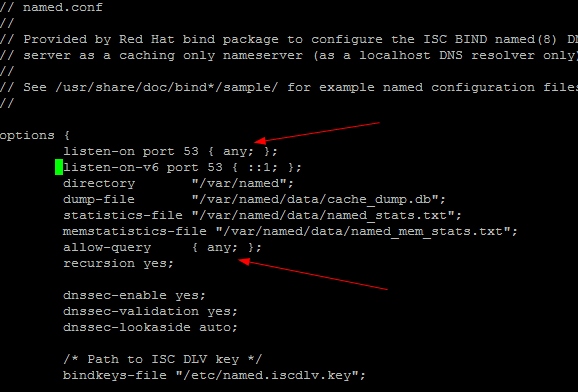
as you can see, the two main lines we need to configure are to allow-query, and the listen port. AGAIN, this should only be for INTERNAL USE. If you use this for external, you will get continually hit with DDoS, please take my advise on this….
from here restart the dns service

here’s how to check your DNS Status:
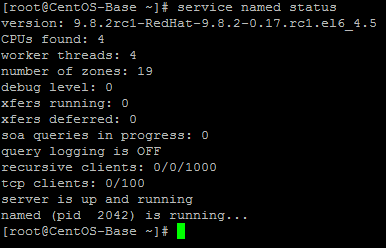
at this point we need to edit our resolv.conf file

this should be all you need

now restart network connections
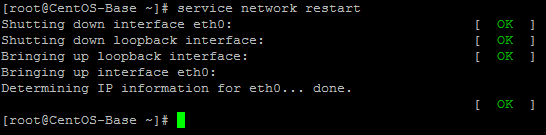
verify you can ping google
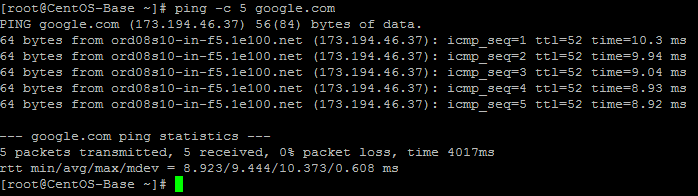
perfect, we know the server now resolves names to IP’s
from here, we just need to test on an external computer
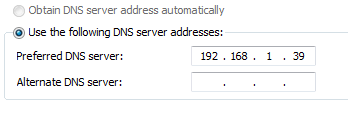
set the DNS accordingly to use the newly configured DNS Server
from here we need to ping to make sure it can resolve
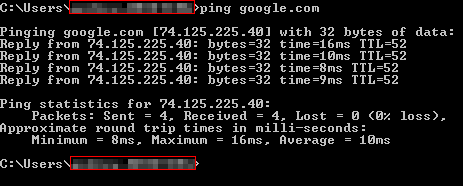
it works!
That’s it! You have configured in internal DNS server.
Hosted Linux servers at www.zwiegnet.com/go
Related guides: Install Bind/Named/DNS on CentOS | Understanding Public DNS
2 Comments