Allow SSH Connections Fedora 19

Allow SSH Connections Fedora 19

Allow SSH Connections Fedora 19

Fedora 19 SSH setup: Allow SSH Connections Fedora 19

in the GNOME 3 menu, go ahead and go to “show applications” and move to “all”

Fedora 19 SSH setup: in the GNOME 3 menu, go ahead and go to “show applications” and move to “all”

select utilities

Fedora 19 SSH setup: select utilities

now terminal

Fedora 19 SSH setup: terminal

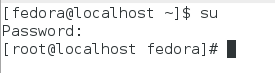
su to root

Fedora 19 SSH setup: su to root

restart ssh

Fedora 19 SSH setup: restart ssh

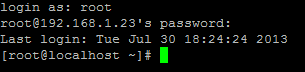
from there we should have remote access

Fedora 19 SSH setup: we should have remote access

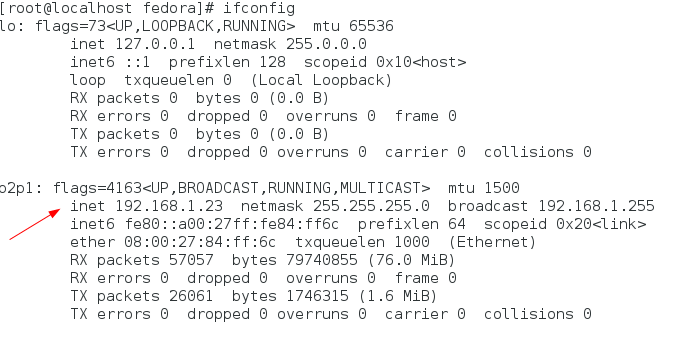
ifconfig will show us the IP, you may also want to do chkconfig sshd on for future reboots
Fedora 19 SSH setup: ifconfig will show us the IP, you may also want to do chkconfig sshd on for future reboots

Bam! Able to login with putty!

That’s it!

Hosted Fedora Linux at www.zwiegnet.com/go

Related guides: Configure SSH Key Authentication Only | Join Fedora to Windows Domain

Leave a Reply

Your email address will not be published. Required fields are marked *