
Configure SSH Key Authentication Only
Configure CentOS SSH Key Autnentication Only
For this blog we are going to go over setting up a SSH server for key-only authentication. Here’s the basic process:

from here we need to edit the ssh config
un-comment lines 47, and 48

now generate the SSH keys via Linux
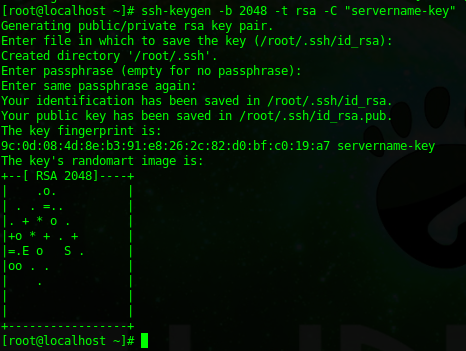
now set permissions to only allow root access to the keys

from here copy the key to a remote system, and verify you can login
view the public key using VI

from here copy the encrypted string to another user account ,and vi the un-created “authorized_keys” file

copy/paste into the file, save, and test to make sure you have passwordless authentication.
From here change line 64 in the SSHD config to no, make sure that keyless authentication works, otherwise you are oficially locked out after the next step.

now restart the ssh service

That’s it!
Hosted Linux Servers at www.zwiegnet.com/go
Related guides: Allow SSH Connections Fedora 19 | Allow root SSH Login Amazon EC2
4 Comments