
Mount NFS Share Server 2008R2
Mount NFS Share Server 2008R2
if you’re either stuck in the dark ages, or just Prefer Linux to windows, this blog is for you, how to mount a NFS share on Server 2008R2
On server 2008, go to the Server manager, and Add/Remove Programs
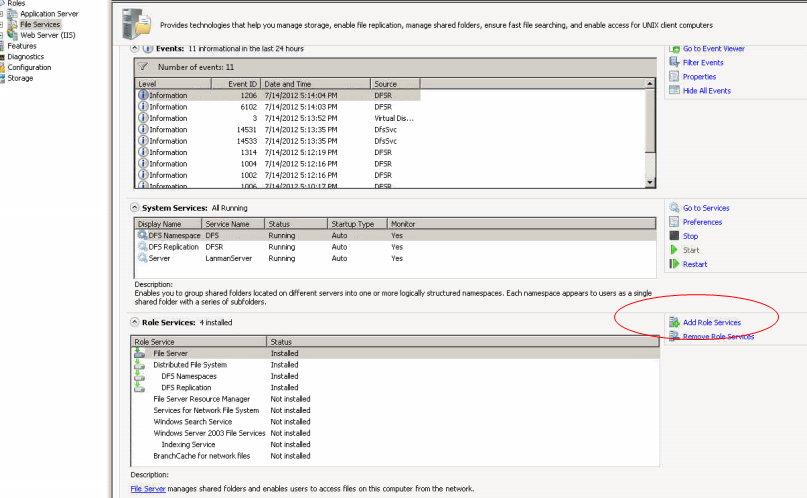
for my example, i already have file services installed on this server, if it’s not, install it as a role, and add this feature, services for NFS
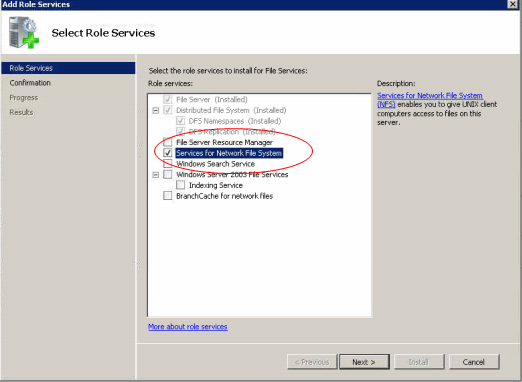
install the role
from there it’s time to open up a command line
type the following:
mount ip-of-nfs-server:/NFS-Share W:
mount command, nfs server info, and the Local Drive Letter, it should look like so:
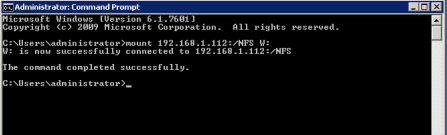
from there you should get a successful confirmation, check your computer to see if it mounted
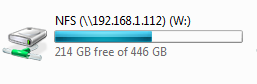
There you go!
To get a NFS Server setup by a professional visit www.zwiegnet.com/go to get signed up today.
Related guides: Setup NFS Server on CentOS 6 | Mount NFS Share Windows 7
1 Comment