
Mount NFS Share OpenSUSE 11
Mount NFS Share OpenSUSE 11
This blog takes you through the basics on mounting a NFS share on OpenSUSE 11. Login and su to root
open a terminal
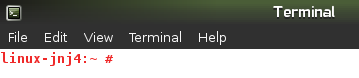
now create the Directory where we are going to mount our NFS share to
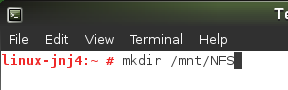
from here open fstab
here’s the basic Syntax to mount a NFS share via FSTAB

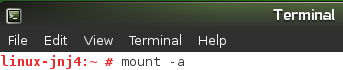
now we need to run the Magic command to Mount filesystems from FSTAB
*** ALL FILESYSTEMS WILL BE RE-MOUNTED ***
now to verify do a df -h
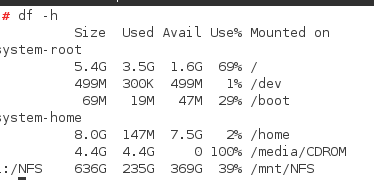
as you can see, our NFS share is mounted to /mnt/NFS in the final line
That’s it!
Hosted OpenSUSE servers at www.zwiegnet.com/go
Related guides: Mount NFS Share on CentOS 6 | Mount NFS Share Linux Mint