
Mount Floppy Drive on CentOS Linux
Mount Floppy Drive on CentOS Linux
in this article, we have a USB floppy drive that we are mounting on CentOS Linux 6. Here’s the basic procedure. Login, ans su to root

due to the advances in today’s technology, it’s pretty easy to find the USB Floppy
so if we do fdisk -l, this shows our disks, and if we search for something with MB capacity (most hard drives are in the GB and TB’s today) we should find our prospect.
we want to have a directory to mount the floppy disk to, that’s what /media is for, temporary mounts of removable media

now to mount the drive we issue the following command:

now we need to verify the mount
if we want to make our mount permanent, we need to edit FSTAB

it should look like so, note the filesystem type is vfat, and we specified ‘user’ meaning ANY USER can mount a floppy disk on this system.
now login as a standard user, and mount the drive with this command:

now if we do a DF, we can verify the floppy is mounted

we should be able to read/write from the floppy
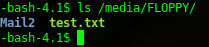
now all we need to do is un-mount it as a standard user”

we will now notice the floppy is no longer mounted.
Formatting a Floppy:
this is a task that should ONLY be done as root
Install the DOS filesystem tools package

make sure you have the correct disk:
1. use dmesg if you recently plugged the device in to find the device ID
2. use fdisk
use fdisk to find disk size in MB:
[root@backup1 ~]# fdisk -l
Disk /dev/sdd: 1 MB, 1474560 bytes
1 heads, 3 sectors/track, 960 cylinders
Units = cylinders of 3 * 512 = 1536 bytes
Sector size (logical/physical): 512 bytes / 512 bytes
I/O size (minimum/optimal): 512 bytes / 512 bytes
Disk identifier: 0x00000000
Device Boot Start End Blocks Id System
you should find a filesystem with a low amount of memory, and no partitions
use ‘blkid’ to get more info
Format the floppy filesystem to FAT:

if you receive any message other than what’s show, likely you have a bad floppy, or bad floppy drive.

re-mount to be sure
-bash-4.1$ mount /media/Floppy/
-bash-4.1$ touch /media/Floppy/test.txt
-bash-4.1$ ls /media/Floppy/
test.txt
-bash-4.1$ rm /media/Floppy/test.txt
-bash-4.1$ umount -l /media/Floppy/
That’s it! You now know the basics on Floppy disks on CentOS Linux
Hosted CentOS Linux servers at www.zwiegnet.com/go
Related guides: Mounting an ISO on CentOS Linux | Mount a Drive on CentOS Linux