
lv_root: UNEXPECTED INCONSISTENCY; RUN fsck MANUALLY
lv_root: UNEXPECTED INCONSISTENCY; RUN fsck MANUALLY
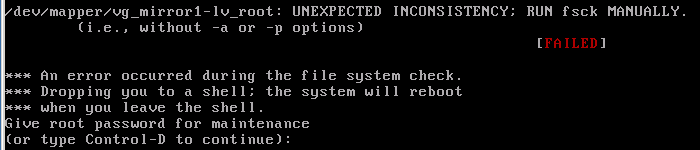
*** An error occured during hte file system check
*** Dropping you to a shell;the system will reboot
*** when you leave the shell.
Give root password for maintenance
(or type Control-D to continue):
now what? First of all i would not worry to much about this error, this is simply a forced “checkdisk” if you will because some blocks were corrupted, the only way around this is to to “fsck” (filesystem check)
as you can see lv_root has an issue
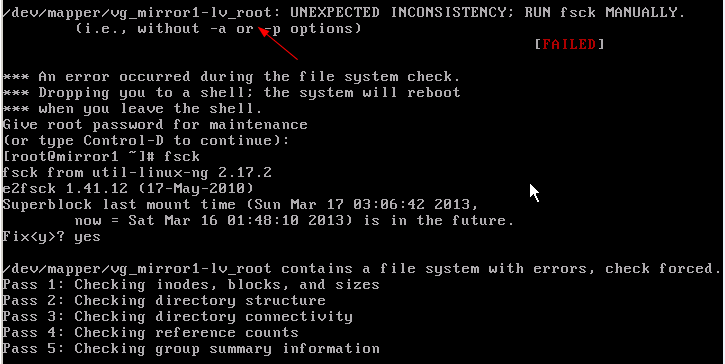
enter your root password and hit fsck
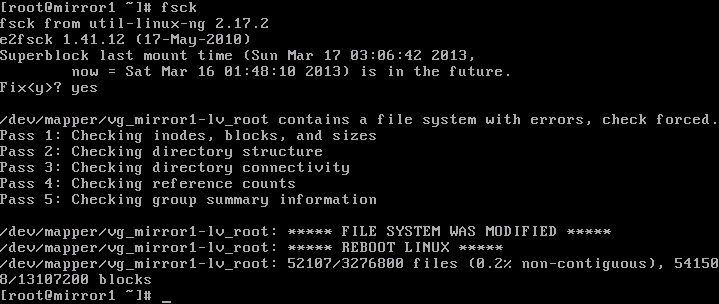
alright as you can see the filesystem was modified and you need to reboot Linux
*** Almost Every time you need to run this TWICE before you are allowed to boot, so don’t be alarmed when it asks you to do the same on next reboot
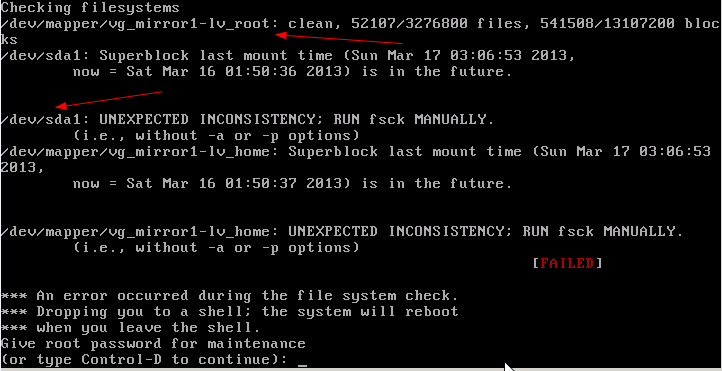
this time lv_root has been fixed bu /dev/sda1 needs to be repaired, so run the process once more
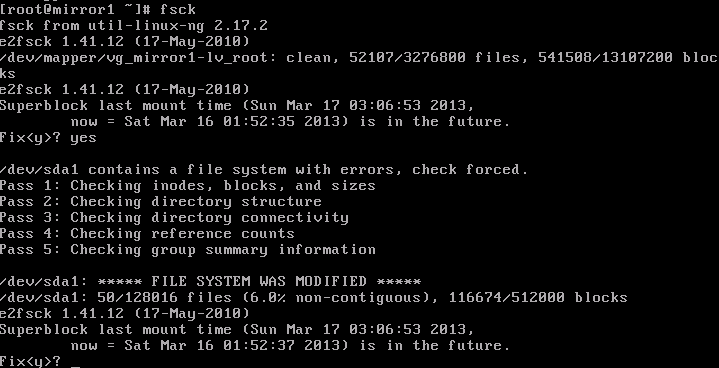
after the fix
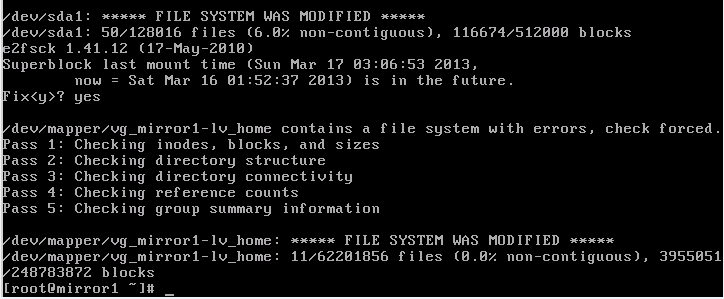
do a final reboot

now our filesystems are good again, and the system boots normally
That’s it!
to Get a Hosted Linux Server visit www.zwiegnet.com/go to get started today!
Related guides: Mount CentOS Partition from Live CD | Linux Files/Folders to Backup
1 Comment