
Install Zabbix Agent on Windows
Install Zabbix Agent on Windows
Zabbix is a wonderful Enterprise Monitoring software suite. In this case we need to install a network monitoring agent on Windows, so let’s get started.
** Windows Firewall Should Be Disabled And/Or Add an exception for the Zabbix Agent, port 10050 **
Login as an Administrator account, and download the Zabbix Windows Agent
http://www.zabbix.com/download.php
extract the agent once downloaded
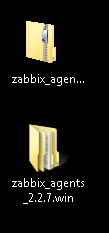 copy the extracted folder to the root of C:
open the extracted folder, browse to config, copy the config to the root of C:
copy the extracted folder to the root of C:
open the extracted folder, browse to config, copy the config to the root of C:
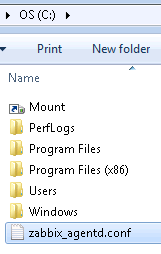 edit the config, find the “server” line to point to your zabbix server
 now we need to install zabbix as a windows service
open an elevated command prompt
now we need to install zabbix as a windows service
open an elevated command prompt
 change to the zabbix folder you just created
 change to the 32 or 64-bit bin depending on your version of Windows, usually the 32-bit version always works
 now if you browse to “services” you should be able to locate Zabbix
go ahead and start the agent
now if you browse to “services” you should be able to locate Zabbix
go ahead and start the agent
 now you should be able to add to your Zabbix Server Web Interface
Configuration –> Hosts
now you should be able to add to your Zabbix Server Web Interface
Configuration –> Hosts
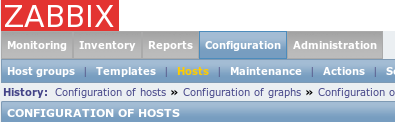 select “Create Host”
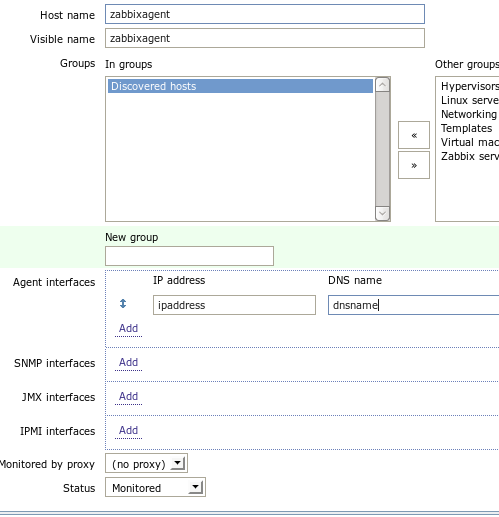 Once your agent has reported in with the Zabbix Server, all should be good to go.
copy the extracted folder to the root of C:
open the extracted folder, browse to config, copy the config to the root of C:
edit the config, find the “server” line to point to your zabbix server
now we need to install zabbix as a windows service
open an elevated command prompt
change to the zabbix folder you just created
change to the 32 or 64-bit bin depending on your version of Windows, usually the 32-bit version always works
now if you browse to “services” you should be able to locate Zabbix
go ahead and start the agent
now you should be able to add to your Zabbix Server Web Interface
Configuration –> Hosts
select “Create Host”
Once your agent has reported in with the Zabbix Server, all should be good to go.
Related guides: Enable Remote Powershell Access | Finding the MAC address of a remote computer