
Install vTiger CRM On Windows Server
Setup vTiger CRM On Windows Server 2008R2
The first thing you should do is have a server to do ONLY CRM, nothing else, it’s a critical role, and resources should not be shared.
First thing is setup your C: and D: with your Data on the D:
Download and start the installer for windows from here:.
https://www.vtiger.com/crm/open-source-downloads/
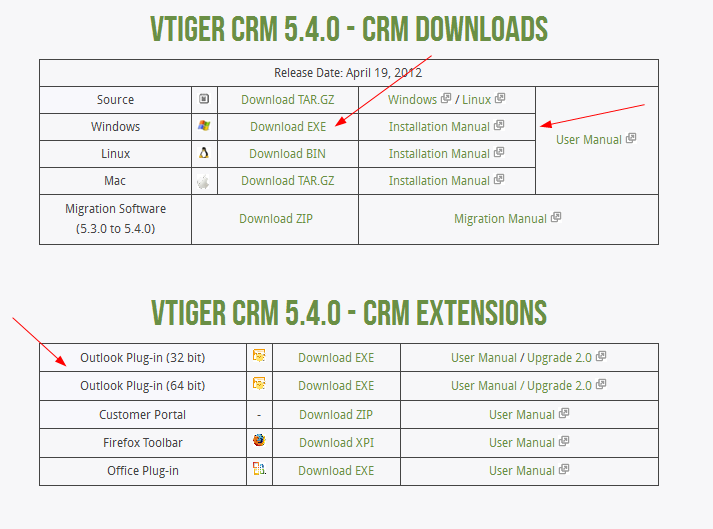
download the exe, and you may want to download the Outlook Plugin for your system as well
It’s important to understand that this is a all-in-one installer and will install MySQL + Apache + PHP
run the installer, and note your apache ports, usernames, and passwords
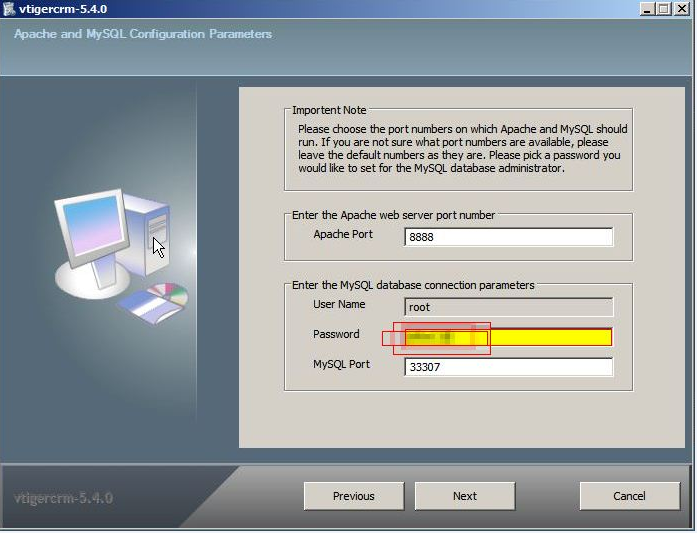
click next
remember your admin password as well
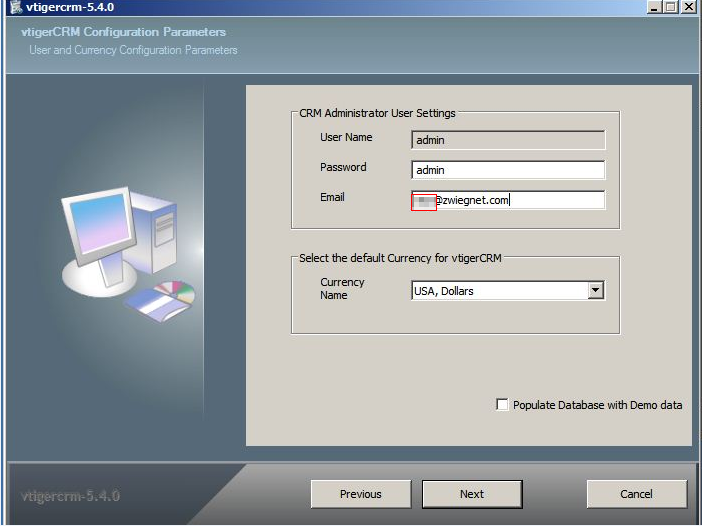
finish the installer, and you should be able to login to “ipaddress:8888”
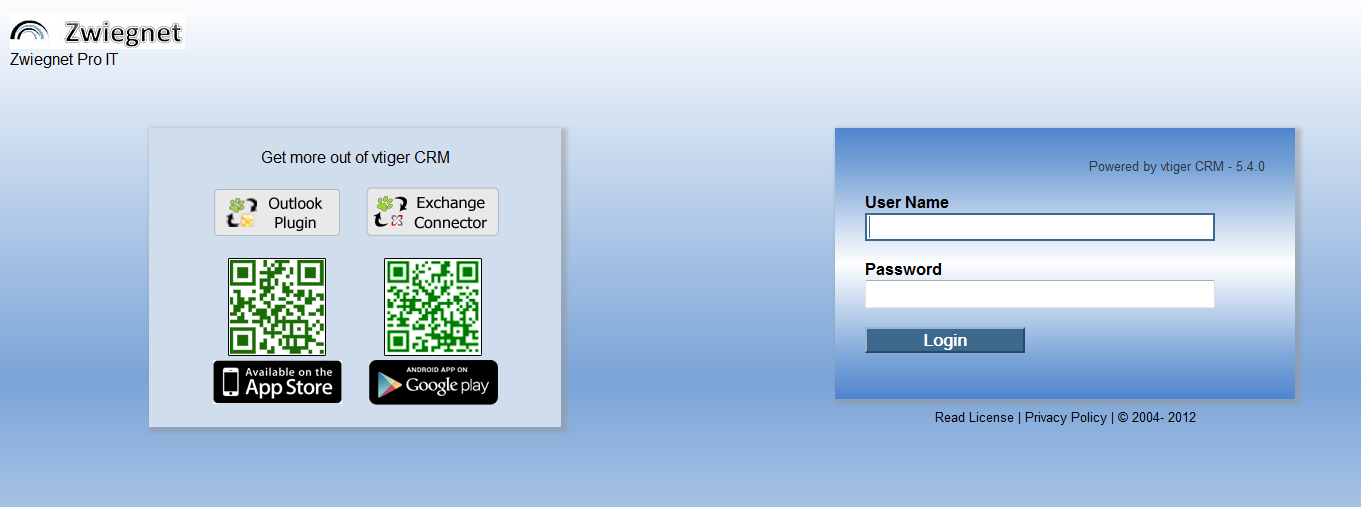
That’s It! now you can start with your CRM!
to get a hosted CRM Server, visit www.zwiegnet.com/go to get started today!
1 Comment