
Create Desktop Shortcuts Linux Mint
Create Desktop Shortcuts Linux Mint
need to create a desktop shortcut with linux mint?
open up a command prompt, and do the following command:
ln -s /directory/name /home/currentuser/Desktop
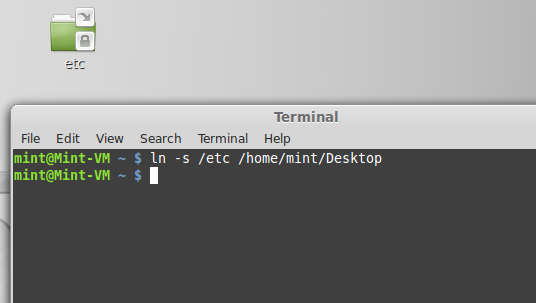
that’s it! There’s the shortcut or sym link as we call it in the Linux World.
if you are interested in a hosted Linux solution, visit www.zwiegnet.com/go to get started today
Related guides: Mount NFS Share Linux Mint | Install Ksplice on Linux Mint