
Create a SharePoint 2010 Custom List
Create a SharePoint 2010 Custom List
Creating a SharePoint 2010 Custom List is relatively easy once you get the hang of it
go ahead and open your SharePoint site with an account that has proper credentials
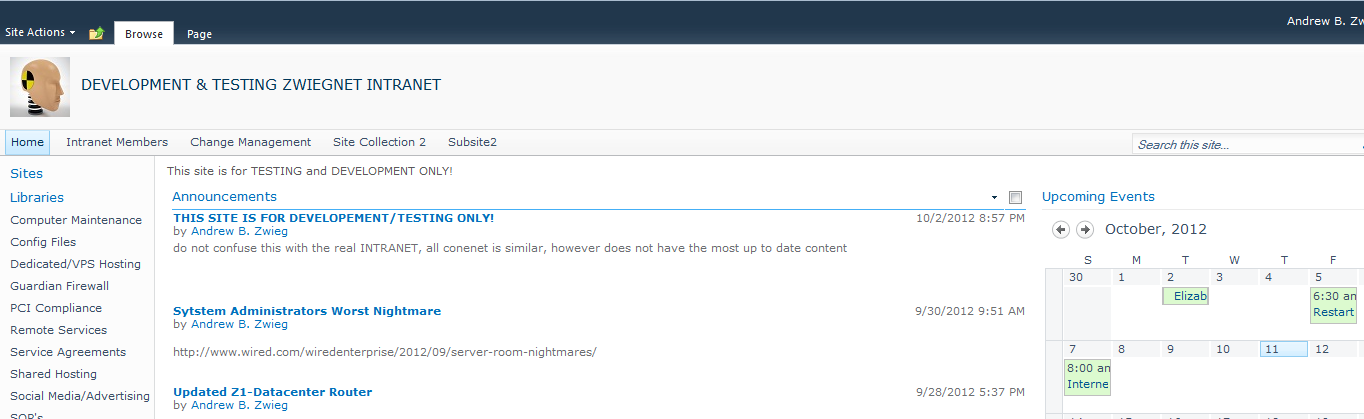
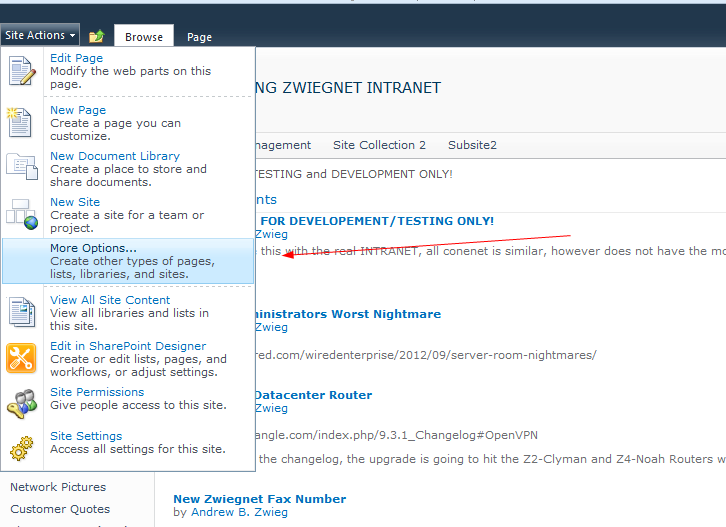
Click on “Site Actions” and “more options”
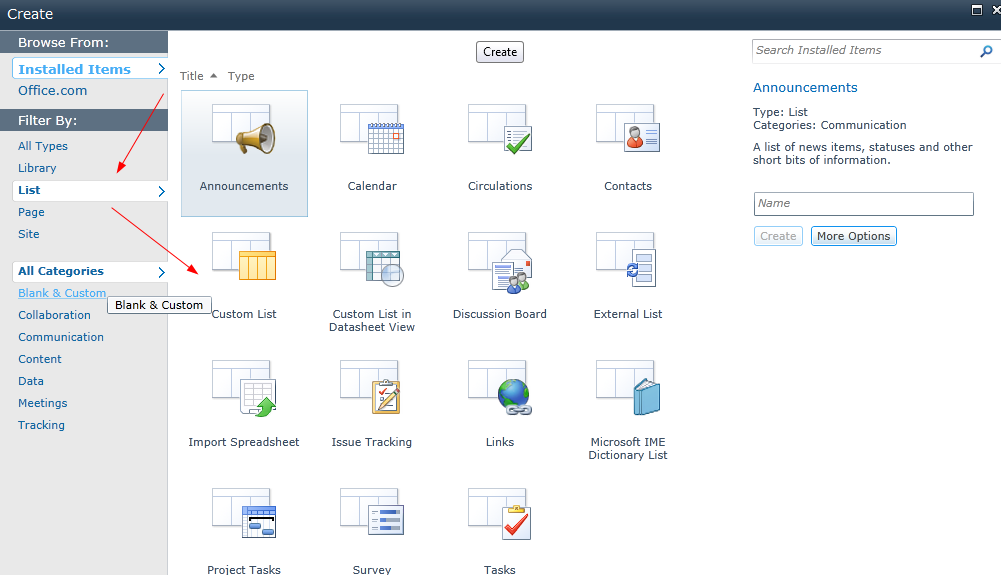
From Here, select List, and then Custom List
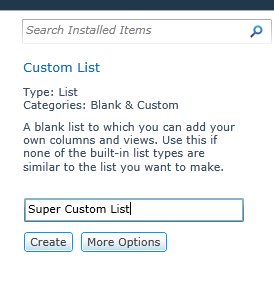
Give your list a name to the right, and hit create
from here you can get to your list from the right of your SharePoint Site
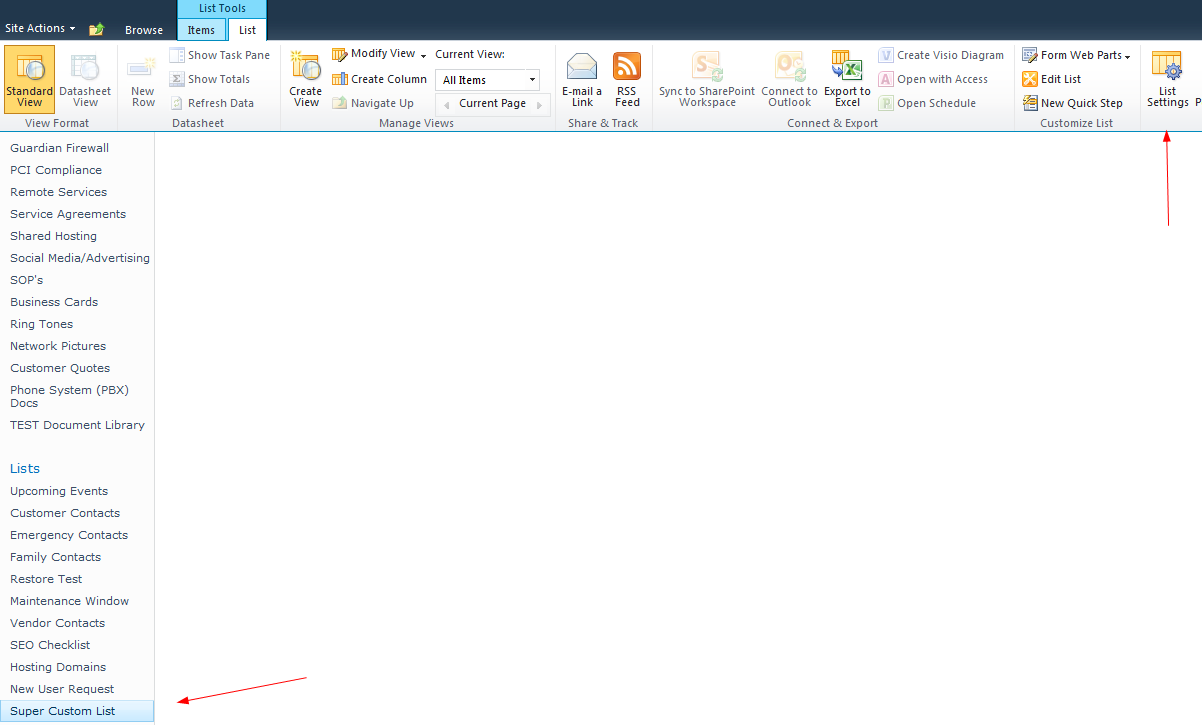
An Important part of customizing your list, is becoming familiar with the list settings, that can be found in the right hand part of the top ribbon
Here is where you can fully customize your list with columns
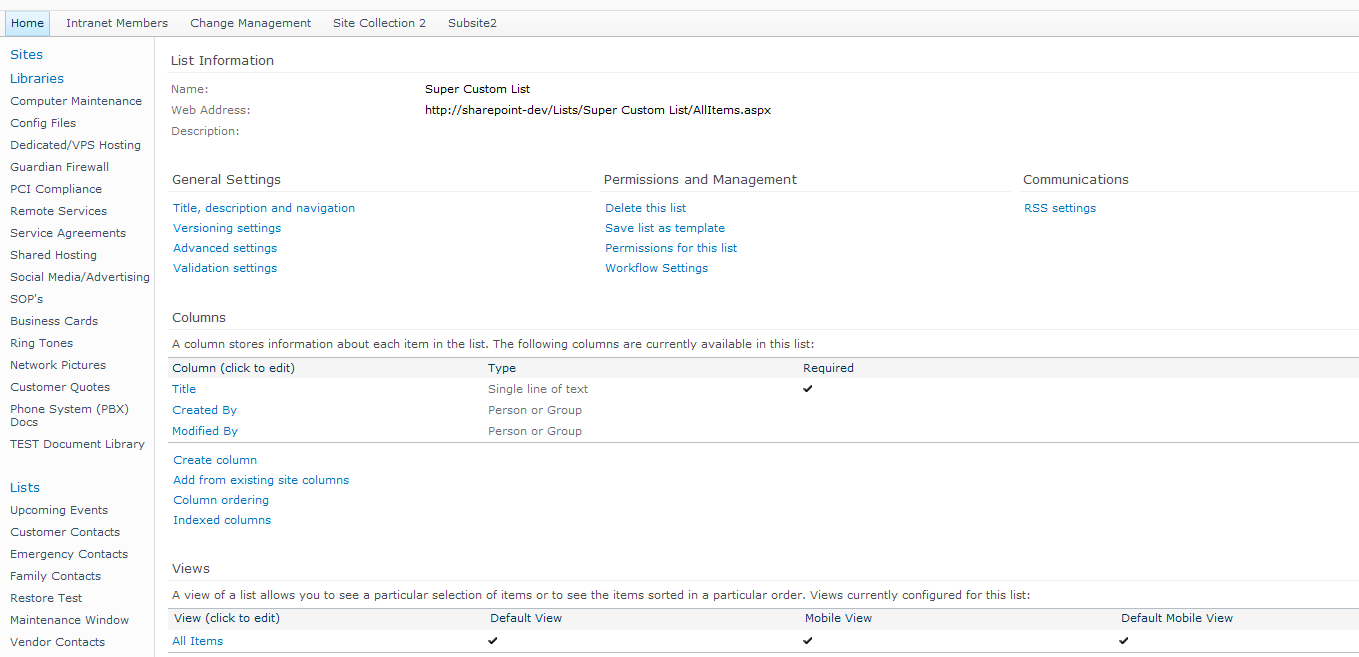
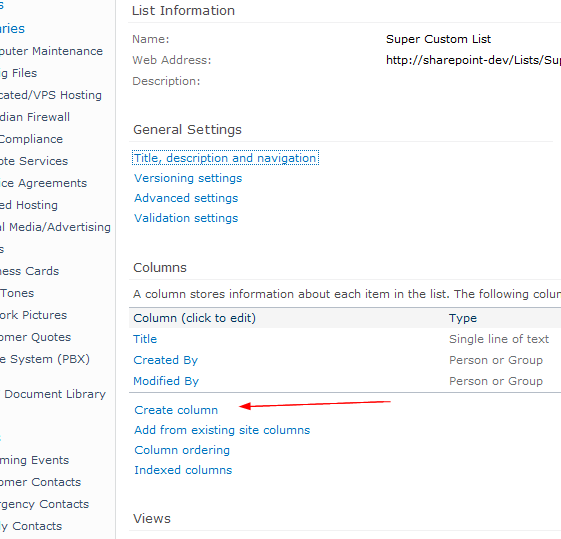
Let’s add a test Column, to get an idea as to how it works
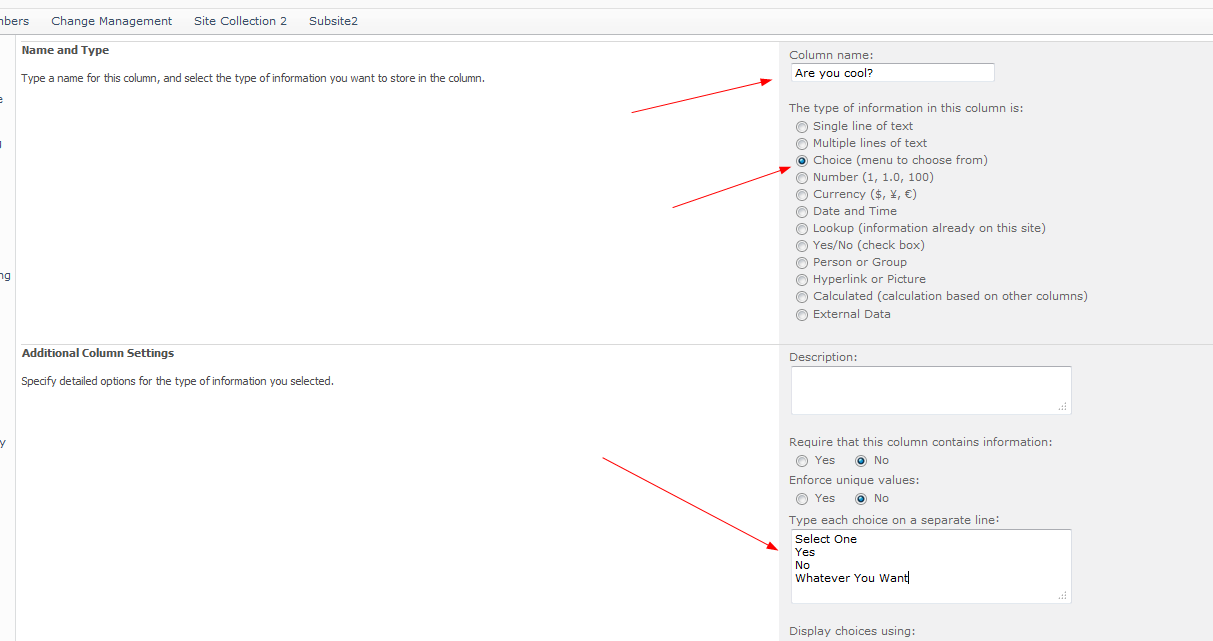
type in the necessary information, in a custom way, here’s my example
save, and then go back to the list
as you can see our column has been added to the list

go ahead an hit “Add new item”
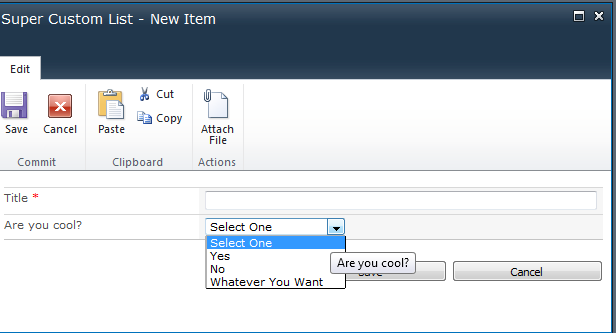
as you can see, here’s our custom form, working, and asking the questions we need it to.
That’s it!
If you’re interested in consulting, visit www.zwiegnet.com/go to get started.