
389 Directory Server Password Policy CentOS
389 Directory Server Password Policy CentOS
389 Directory server is a nice suite for LDAP management, and has gone above and beyond to meetup with today’s standards, this includes a password policy. Let’s get started, login, and start your 389-console
if you have multi-master, this is easy, becasue it only needs to be changed on one of the nodes….
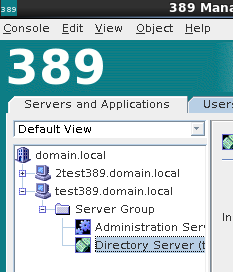
Open Directory Server
Browse over to the “Directory” Tab
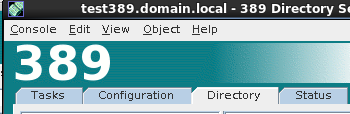
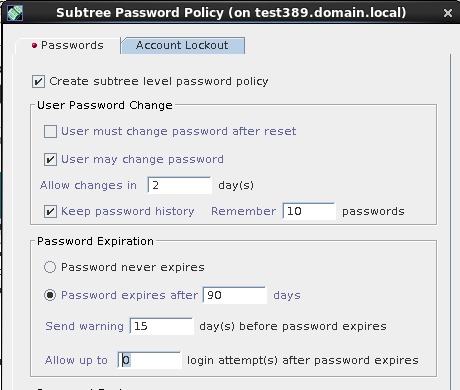
Right-click on your domain, and select “Manage Password Policy” for subtree
as you can see, just for password complexity, there is MANY options, one may even argue too many, however its enough for most.
it’s also important to point out that there is an “Account Lockout” Tab here as well
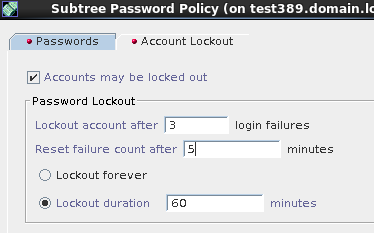
hit save once completed, and like i mentioned earlier, if you have MultiMaster configured, this change has already replicated to the other servers.
Hosted Linux Servers at www.zwiegnet.com/go
Related guides: 389 Directory Server MultiMaster Replication CentOS | Disabling Anonymous Bind 389 Directory Server