
Join CentOS to 389 Directory Server
Join CentOS to 389 Directory Server
for ease of password administration and management, sometimes it’s better to join to a conformed directory structure. In this case LDAP is what we are using.
login to your CentOS Client, and su to root

install the necessary tools

launch authconfig-tui

configure as shown below
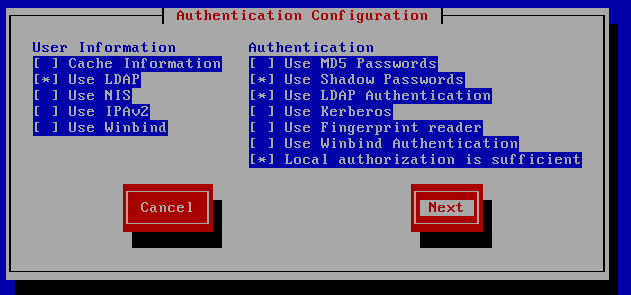
customize for your environment
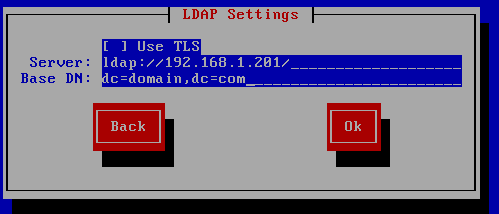
started!

tell this box to automatically create home directories

That’s it!
Hosted Linux Servers at www.zwiegnet.com/go
Related guides: Install 389 Directory Server CentOS | 389 Directory Server TLS Client CentOS