

Webmin is a web-based control panel for Linux and Unix servers. Once it is installed you can manage users, services, packages, cron jobs, Apache, BIND, Samba and much more from a browser instead of editing files by hand. It runs its own small web server (miniserv) on TCP port 10000, separate from Apache.
Prerequisites
- A CentOS 5 server (this was written on CentOS 5.8) with root access.
- Network access to the server on TCP 10000 from the machine you will browse from.
- Perl, which Webmin is written in (installed by default on CentOS).
1) Open port 10000
On CentOS 5.8 make sure that iptables is either turned on, or you have port 10000 (default) open to be accessed
In practice that means either the firewall is stopped, or (better) it stays running with a rule that allows 10000:
iptables -I INPUT -p tcp --dport 10000 -j ACCEPT
service iptables save
2) Download the Webmin RPM
If you do not have wget installed on your CentOS box, type: yum install wget
from there download and install Webmin from sourceforge by using the following command:
wget http://prdownloads.sourceforge.net/webadmin/webmin-1.580-1.noarch.rpm
1.580 was the current release when this was written. Check the Webmin download page for the current version number and substitute it in the file name; old releases are missing years of security fixes.
3) Install it
once downloaded, run the following command to install:
rpm -i webmin-1.580-1.noarch.rpm
this should take a minute or so for it to install.
The RPM’s post-install script generates the configuration under /etc/webmin, sets the root account up as the Webmin administrator, creates an SSL certificate if the Perl SSL module is present, and starts the service. If you prefer, yum localinstall webmin-1.580-1.noarch.rpm does the same thing and pulls in any missing dependencies.
4) Log in
once installed successfully browse to https://ipaddress:10000, log in with your root username/password
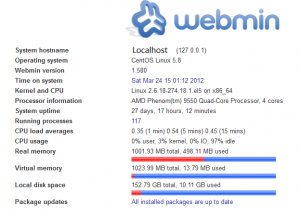
*note* if you are installing on a higher version of CentOS like 6.2 do not use https, use normal httpd
The reason: Webmin only turns on SSL when the Perl Net::SSLeay module is installed. Without it, miniserv answers in plain http on port 10000. To get https, install the module and restart Webmin:
yum install perl-Net-SSLeay
service webmin restart
Verify
service webmin status
netstat -tlnp | grep 10000
You should see a perl process (miniserv.pl) listening on 0.0.0.0:10000.
Troubleshooting
- Browser times out: port 10000 is blocked by iptables or a network firewall, or the service is not running.
- Page loads but looks like garbage or resets: you used https against an http-only install, or the other way round. Try the other scheme, or install perl-Net-SSLeay as above.
- Login failed: reset the Webmin root password with
/usr/libexec/webmin/changepass.pl /etc/webmin root NewPassword(the RPM installs Webmin under /usr/libexec/webmin). - Other errors: check
/var/webmin/miniserv.error. - Security: Webmin gives full root control of the box. Do not expose port 10000 to the internet; limit it to your admin network (Webmin, Webmin Configuration, IP Access Control).
RHEL, AlmaLinux and Rocky 9/10
Webmin publishes a yum/dnf repository, so you no longer download RPMs by hand. Use the repository setup script from the Webmin site, then install with dnf:
curl -o webmin-setup-repo.sh https://raw.githubusercontent.com/webmin/webmin/master/webmin-setup-repo.sh
sh webmin-setup-repo.sh
dnf install webmin
systemctl enable --now webmin
firewall-cmd --permanent --add-port=10000/tcp
firewall-cmd --reload
Updates then come through normal dnf upgrade.
That’s It! If you found this article helpful, zwiegnet.com/go for great Linux Consulting
Related guides: Installing Webmin On CentOS 6 | Install Webmin on CentOS 6.3