
By default Postfix on CentOS/Red Hat delivers mail straight to the recipient’s mail server on the Internet. In most networks you want every server to hand its mail to one internal mail server instead, which is what Postfix’s relayhost setting does. This guide was written for CentOS 6 and is republished from the original blog with its screenshots; notes for current AlmaLinux, Rocky Linux and RHEL releases are at the end.
By default the postfix installation on CentOS/Redhat sends email out directly to the internet. This is OK in some circumstances, but usually you want to use your internal mail server to relay email out. This is how you configure it in postfix.
So in this instance, the topology we are trying to achieve for mailflow is the following:
Local Server –> SMTP Server –> Internet
The SMTP server has to accept mail from this server. If you are building it with Postfix, see configure postfix mail server CentOS/RedHat and make sure this server’s network is in its mynetworks.
Point Postfix at your mail server
login, and su to root

install mailx, so you can send a test email later on.
yum -y install mailx
let’s first make a backup of the postfix config:
cp /etc/postfix/main.cf /etc/postfix/main.cf.bk
from here you want to edit the postfix config:
vi /etc/postfix/main.cf
from here you want to set the local postfix instance to use your local mail server using the ‘relayhost’ parameter in line 318
#relayhost = [an.ip.add.ress]
relayhost = mailserver.yourdomain.local
Written like this, Postfix looks up MX records for the name first. To send straight to that host and skip the MX lookup, put it in square brackets: relayhost = [mailserver.yourdomain.local] (add :587 after the bracket for a submission port).
once your mail server has been specified, you need to restart/reload the postfix config.
service postfix restart
Send a test message
from here, you immediately want to send a test using the server to verify it’s working; obviously customize the mailx command
echo "test" | mailx -s "subject" recipient@yourdomain.com
hit enter, and it should send the email.
to verify it’s working, check the local mail queue with the ‘mailq’ command.
mailq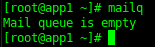
If for some reason the mail is not delivered to your local mail server, you can check the postfix log
tail /var/log/maillog
Jan 31 16:43:51 app1 postfix/cleanup[28281]: 93FE2287C: message-id=<20160131224351.93FE2287C@app1.yourdomain.local>
Jan 31 16:43:51 app1 postfix/qmgr[28195]: 93FE2287C: from=<root@app1.yourdomain.local>, size=444, nrcpt=1 (queue active)
Jan 31 16:43:51 app1 postfix/smtp[28288]: 93FE2287C: to=<recipient>, relay=relayserver.yourdomain.local[172.53.4.122]:25, delay=0.03, delays=0.02/0/0.01/0.01, dsn=2.0.0, status=sent (250 2.0.0 Ok: queued as 99A6321FB)
Jan 31 16:43:51 app1 postfix/qmgr[28195]: 93FE2287C: removed
Understanding the Maillog
Postfix gives each message a queue ID, in this case 93FE2287C, and every log line for that message starts with it (the message-id line shows the full Message-ID header). Follow the queue ID to see what happened to a message.
from here what normally happens is it’s placed in the queue, and delivered to the specified email address. The relay= field shows which server it was handed to, which should be your mail server.
the final line will show status=sent, or status=rejected, or status=deferred.
- sent = worked
- rejected = failed; usually this server is not allowed to relay by the remote smtp server
- deferred = temporarily failed; having trouble delivering right now, may be due to server maintenance, etc.
On AlmaLinux, Rocky Linux and RHEL 8, 9 and 10
- Install the tools with
dnf install postfix mailxon RHEL 8 ordnf install postfix s-nailon RHEL 9 and later (s-nail provides themailxcommand), and start Postfix withsystemctl enable --now postfix. - Set the relay without opening an editor:
postconf -e "relayhost = [mailserver.yourdomain.local]", thensystemctl reload postfix. - A client that only relays can keep the default
inet_interfaces = localhost, so it does not accept mail from the network. - If the mail server needs a login (for example on port 587), you also need SASL settings such as
smtp_sasl_auth_enable,smtp_sasl_password_mapsandsmtp_tls_security_level = encrypt. - Read the log with
journalctl -u postfixif rsyslog (and so /var/log/maillog) is not installed.
That’s it!
Hosted Linux Servers at www.zwiegnet.com/go
Related guides: configure postfix mail server CentOS/RedHat | Send Email Script CentOS