
Configure NIS Slave CentOS 6
Configure NIS Slave CentOS 6
a NIS slave is handy to have for larger deployments, and remote sites. Although relatively insecure NIS is a simple and elegant solution to your directory services needs in Linux. This blog assumes you setup a NIS master using the following Blog: http://blog.zwiegnet.com/linux-server/configure-nis-server-centos-6/
Let’s get started, login to your first slave as root

from here install the necessary components for NIS

set all service to run on startup
now we need to configure the NIS domain

add the IP address of the master server to your config

edit your network settings

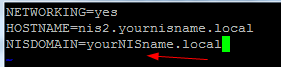
add the bottom line to your config (obviously customize)
start rpcbind

we need to also reconfigure on the master

make sure to add your slave
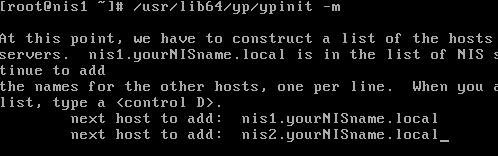
note the message at the bottom:

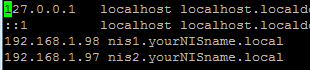
setup your hosts file on both the NIS master and slave (otherwise the whole thing won’t work right)
start the following service:

now issue your update command

now you should see the following:
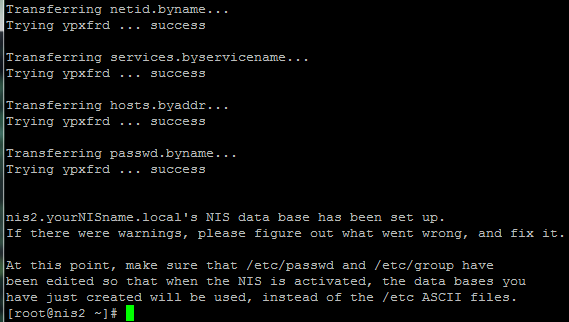
as you can see the update is a success
start the following service now and on reboot

also script the following command to run as a CRON job, so your slave automatically updates

Done!
let’s just make sure it all works, verify you can see ypcat passwd

You have configured a NIS Slave.
Hosted Linux servers at www.zwiegnet.com/go
To Configure a NIS Client Click Here
Related guides: Configure Automount CentOS 6