Configure Account Lockout Policy CentOS

Configure Account Lockout Policy CentOS

Configure Account Lockout Policy CentOS

every once in a while you have a special circumstance where you would need an account lockout policy (such as a secure system or ftp, that sort of thing)

let’s get started, login as root

Root shell prompt on CentOS

let’s make a backup of the configuration

Root shell before backing up the PAM configuration files
Root shell before backing up the PAM configuration files (second file)

edit the config

Editing /etc/pam.d/sshd in vi on CentOS to add the SSH account lockout rule

add the following line to the config:
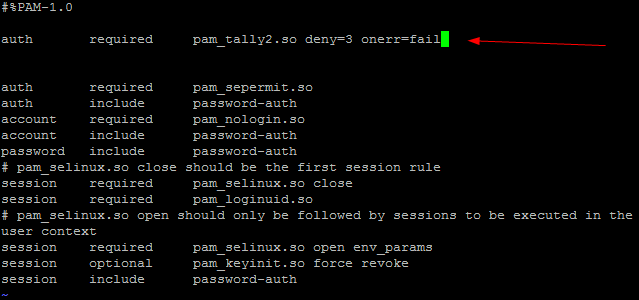
/etc/pam.d/sshd with auth required pam_tally2.so deny=3 onerr=fail added

now edit file 2

Editing /etc/pam.d/system-auth in vi on CentOS to add the account lockout policy for local logins

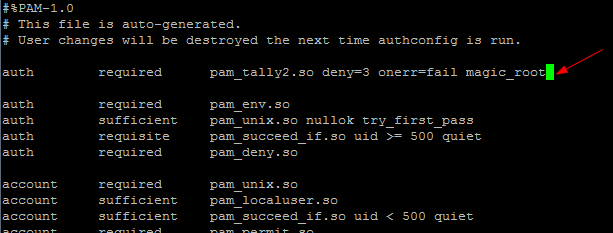
add the following line:

/etc/pam.d/system-auth with the pam_tally2.so lockout line added

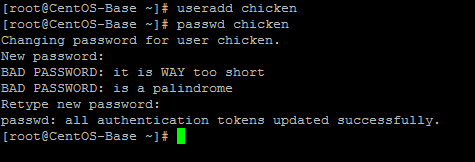
add a user account to test with

useradd and passwd creating the test user chicken

now try with the wrong password a few times

pam_tally2 -u chicken showing 4 failed logins and the account locked

as you can see login failures have been logged and the account is locked out

to unlock, run the following command:

pam_tally2 -u chicken --reset=0 unlock command

from here you should be able to log back in again

pam_tally2 reset output showing the failure count cleared

that’s it!

To get a hosted Linux Server visit www.zwiegnet.com/go to get started today

Related guides: Limit Sudo to specific commands | Choosing a Smart Root Password

Leave a Reply

Your email address will not be published. Required fields are marked *