
Check Disk I/O Oracle Linux 6
Check Disk I/O Oracle Linux 6

Oracle Database servers usually have a high amount of Disk I/O, and usually the disk is not necessarily attached. How do we monitor this to help us troubleshoot? The answer is an age-old UNIX tool called Sysstat or iostat, and may also be referred to as sar. Let’s get started.
Login and SU to root

from here we need to install sysstat
let’s take it for a spin!
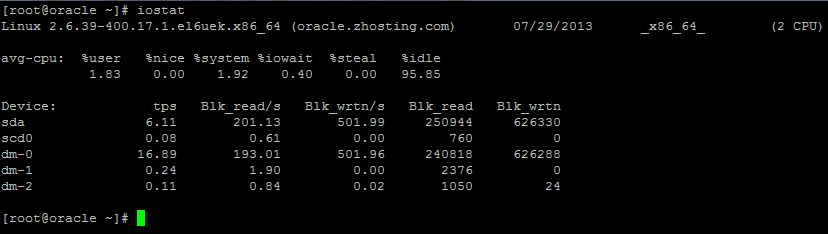
as you can see iostat shows the IO of different physical and remotely mounted devices
it can also be used to look at individual devices such as /dev/sdb (san) or something else
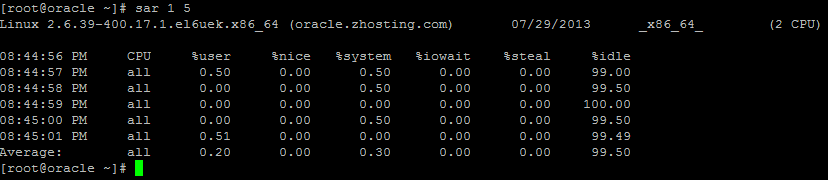
you can also use sar to test the average idle time of the Box, plus CPU Usage (very handy)
That’s it! that’s a good start at taking a look at the overall Performance of your system in terms of IO and CPU (if top is not sufficient)
Hosted Oracle Linux at www.zwiegnet.com/go
Related guides: Find Hard Drive IOPS CentOS | Install SMART on CentOS 6.4