
Disable SELinux CentOS 7
Disable SELinux CentOS 7
This blog covers the basic steps to disable SELinux on CentOS 7
first we need to see how SELinux is configured, issue the sestatus command
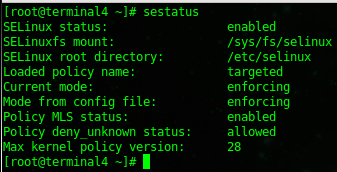
as you can see the current mode is enforcing, issue the following command to disable it

now issue the sestatus command again
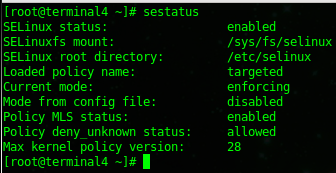
you should see that the config file, is now going to load it as disabled after the next reboot.
issue a reboot

after a reboot, you can verify that SELinux has been disabled

That’s it!
Hosted Linux Servers at www.zwiegnet.com/go
Related guides: Disable Iptables CentOS 6.4 | Configure SSH Key Authentication Only
2 Comments