
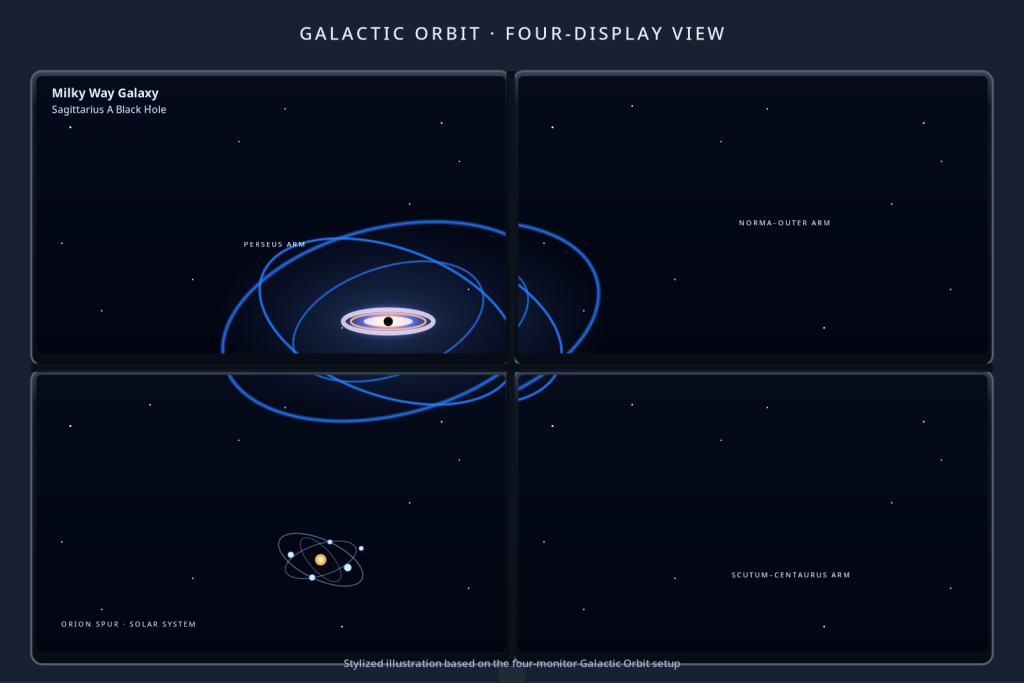
Most lock screens show a static photo. Galactic Orbit shows the Milky Way instead: an animated view of our galaxy, with Sagittarius A* at the center and the Solar System orbiting on the Orion Spur, spread across every monitor as one continuous scene. It’s a new open-source project for Linux, with a KDE Plasma 6 integration built to be your lock-screen background, plus a standalone SDL3/OpenGL preview app.
Project on GitHub: azwieg103/galacticorbit-screensaver
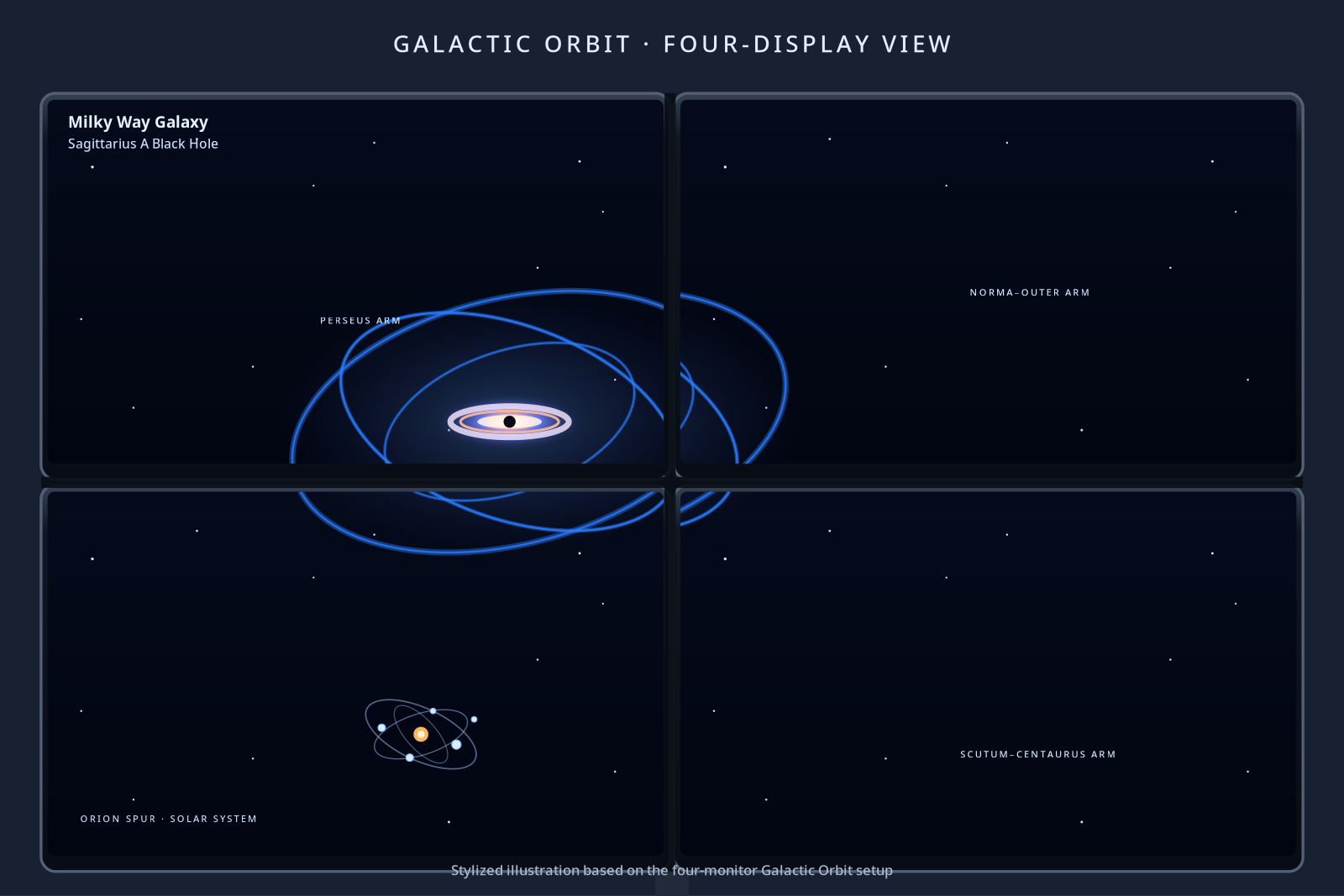
What’s in the scene
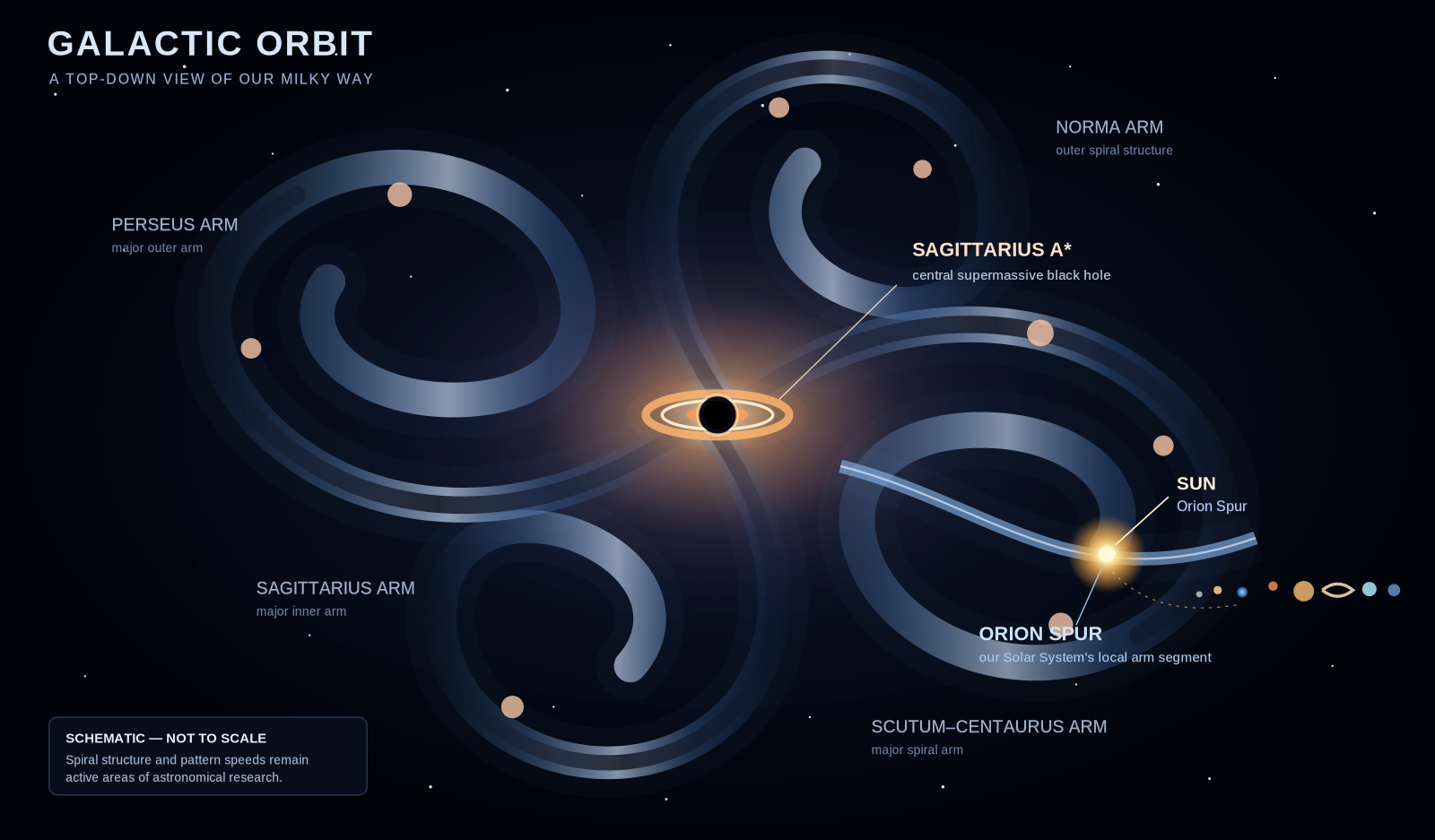
- A broad, tilted, face-on Milky Way with a bright central bulge, textured spiral structure, dust lanes, star fields and blue-violet outer regions.
- Sagittarius A* at the galactic center, drawn as a compact dark event horizon with a detailed accretion disk and photon ring.
- Subtle labels for the Norma–Outer Arm, Scutum–Centaurus Arm, Sagittarius–Carina Arm, Perseus Arm and Orion Spur. The labels turn with the slow galactic rotation.
- The Sun on the Orion Spur with eight textured planets orbiting in a shared plane inclined 60° to the view, so the circular orbits appear as ellipses.
- A two-line title, “Milky Way Galaxy” and “Sagittarius A Black Hole,” shown once on the upper-left display.
It’s illustrative, not a scale model. Distances, sizes, orbital periods and animation rates are compressed or sped up so there’s something to watch, and the README notes that the Milky Way’s detailed spiral structure isn’t known with certainty.
Two renderers
KDE Plasma 6 integration
The Plasma version renders a procedural OpenGL shader as synchronized slices, one per display, using shared virtual-desktop coordinates, so the galaxy lines up across monitor edges. It’s tuned to go easy on the GPU:
- The shader layer renders at 45% of each display’s physical width and height and is smoothly upscaled. Text labels are drawn separately so they stay crisp.
- The lock-screen animation updates at about 15 FPS.
- Every display reads the same monotonic clock, so the scene stays in sync even though each output updates on its own timer.
Standalone SDL3/OpenGL preview
The preview app uses texture-mapped Sun and planet surfaces. It can open a window on one display or a borderless window spanning the whole virtual desktop. It’s handy for trying the scene without locking your screen.
Install on AlmaLinux 10 (and other EL10 systems)
The recommended install is the RPM. It packages the standalone preview, the bundled planet textures and the Plasma 6 integration. GitHub Actions builds it in an AlmaLinux 10 environment on every push to main and publishes each successful build as a GitHub Release, for example:
galacticorbit-screensaver-0.1.0-ZWIEGNET.1.el10.x86_64.rpmThe package targets AlmaLinux 10, RHEL 10, Oracle Linux 10, Rocky Linux 10 and CentOS Stream 10, but check that the runtime dependencies are available on yours. Download it from the releases page and install:
sudo dnf install ./galacticorbit-screensaver-0.1.0-ZWIEGNET.1.el10.x86_64.rpmFailed builds never publish, and earlier releases are never overwritten. The packages are supplied as-is, with no warranty or support. The README also describes Windows x64 ZIP and MSI builds produced alongside the RPM. Check the release page for which files are attached to the current release.
Build the RPM yourself
sudo dnf install -y epel-release dnf-plugins-core
sudo dnf config-manager --set-enabled crb
sudo dnf install -y rpm-build rpmdevtools cmake gcc-c++ make SDL3-devel \
  mesa-libGL-devel extra-cmake-modules libplasma-devel kf6-kcoreaddons-devel \
  qt6-qtbase-devel qt6-qtdeclarative-devel qt6-qtshadertools-devel

git clone https://github.com/azwieg103/galacticorbit-screensaver.git
cd galacticorbit-screensaver
mkdir -p ~/rpmbuild/{BUILD,BUILDROOT,RPMS,SOURCES,SPECS,SRPMS}
cp packaging/galacticorbit-screensaver.spec ~/rpmbuild/SPECS/
git archive --format=tar.gz --prefix=galacticorbit-screensaver-0.1.0/ HEAD \
  > ~/rpmbuild/SOURCES/galacticorbit-screensaver-0.1.0.tar.gz
rpmbuild -ba ~/rpmbuild/SPECS/galacticorbit-screensaver.spec
sudo dnf install ~/rpmbuild/RPMS/x86_64/galacticorbit-screensaver-*.rpm
Set it as the KDE Plasma lock-screen background
- Open System Settings → Screen Locking.
- Open the Appearance section and choose Configure Appearance… if it appears.
- Select Galactic Orbit as the background.
- Apply, then press Meta+L to test it.
The desktop wallpaper and the lock-screen background are configured separately, so pick Galactic Orbit in the Screen Locking settings, not the normal Wallpaper settings. Galactic Orbit only provides the background. KDE’s lock screen and password authentication stay exactly as they are, and nothing here replaces or bypasses screen-lock security.
Build and run the standalone preview from source
sudo dnf install -y gcc-c++ cmake make SDL3-devel mesa-libGL-devel
cmake -S . -B build -DCMAKE_BUILD_TYPE=Release
cmake --build build --parallel
./build/galacticorbit-screensaver
The planet textures are bundled in assets/planet-textures/, so no download step is needed. By default the preview opens a borderless window spanning the virtual desktop.
| Command | Purpose |
|---|---|
--windowed | 1280×720 window on one display |
--windowed-span | Borderless window spanning the virtual desktop |
--speed 1.5 | Start with a faster animation rate |
--help | Show usage |
| Key | Action |
|---|---|
Esc or Q | Quit |
Space | Pause or resume |
R | Reset animation time |
+ / - | Faster / slower |
F | Toggle fullscreen |
To build the Plasma integration from source instead, install the Plasma development packages listed above and run:
cmake -S . -B build-plasma -DCMAKE_BUILD_TYPE=Release -DGALACTICORBIT_BUILD_PLASMA6=ON
cmake --build build-plasma --parallel
sudo cmake --install build-plasma
For normal use, the RPM is still the better choice, because it puts the wallpaper package, geometry plugin, shaders and textures where Plasma expects them.
Troubleshooting and tips
- Galactic Orbit doesn’t show up in the list: make sure you’re in Screen Locking, not Wallpaper. If it’s still missing, log out and back in after installing.
- The SDL preview doesn’t span all monitors on Wayland: compositor behavior can stop a single SDL window from covering several outputs. The Plasma integration is the recommended multi-monitor option, because each output renders its own synchronized slice.
- Build can’t find SDL3 or the Plasma packages: enable EPEL and CRB first, as shown above.
- Worried about GPU load? The lock-screen renderer already runs at reduced resolution and about 15 FPS.
FAQ
Does it replace my lock screen? No. It’s only the background. Authentication is still KDE’s.
Is it astronomically accurate? It’s an illustrative visualization with compressed scales and sped-up motion.
Is there something similar? Yes. The same author’s multi-monitor plasma-beam screensaver is covered in Swordfish Screensaver: Open Source Multi-Monitor Plasma Screensaver for Linux.
License
The application is licensed under GPL-3.0-only. The planet texture maps come from Solar System Scope under CC BY 4.0 and require attribution if you redistribute them (see assets/planet-textures/README.md). The bundled stb_image.h loader is public domain/MIT.
Get it here: github.com/azwieg103/galacticorbit-screensaver.