
Use Basic Authentication Squid
Use Basic Authentication Squid
In this scenario we are configuring a HTTP proxy to require basic authentication, such as a username/password combo. We are assuming that you have already configured your proxy for HTTP, and you want to add this functionality.
If not, check here
blog.zwiegnet.com/linux-server/configure-squid-http-proxy-centos-6/
Login and su to root

as always, make a backup of the squid config
from here we need to install the htpasswd package

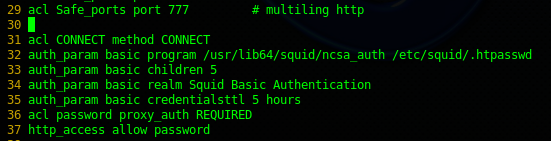
back in the squid.conf file the acl CONNECT method CONNECT, and modify as follows:
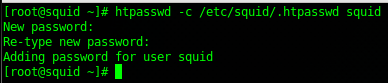
from here create a username/password, for this example we used the username “squid”
now we can’t forget to restart the squid service…

now go to the web browser of the squid client you already have setup, as you can see, it wants a username/password
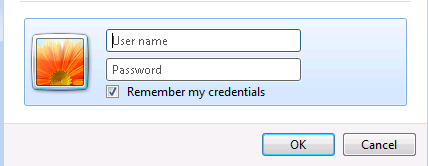
go ahead and enter squid
That’s it!
Hosted Linux Servers at www.zwiegnet.com/go
Related guides: Configure Squid LDAP Authentication | Load Balance Squid Reverse Proxy