
Encrypt Files CentOS Linux
Encrypt Files CentOS Linux
One way to protect sensitive information on Linux, usually in the example of removable media, tape, flash drive, or removable hard drive is to Encrypt the file/drive.
For this exercise we will encrypt the files only *** NOT RESPONSIBLE FOR ANY DATA LOSS, USE AT YOUR OWN RISK! **** We will be using the GNU Privacy Guard (GPG)
The best thing you can do is look at the manual with gpg -h
login, and su to root

use a test file until you have a good idea about what you are doing, otherwise you could end up loosing data
To do a basic encryption run the following command:

— By Default the encryption is CAST5, to specify otherwise do the following:
Supported Ciphers: 3DES, CAST5, BLOWFISH, AES, AES192, AES256, TWOFISH, CAMELLIA128,CAMELLIA192, CAMELLIA256
Example usage:

Once you have picked your encryption, enter a password
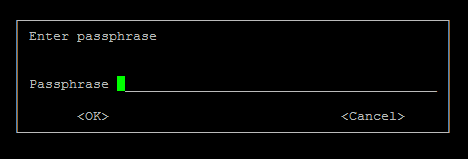
enter it, and then re-enter if prompted

now we see our Original File and Encrypted File
if we try to read the file, it’s encrypted

Sweet! Encrypted
To Decrypt run the following:

enter the original pass-phrase used to encrypt the file (notice the box looks different)
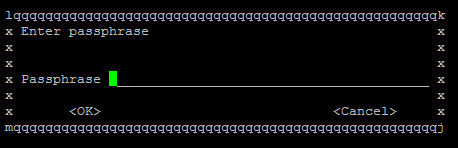
output:

Bam! Decoded my File!

That’s it!
To Get a hosted Linux Server visit www.zwiegnet.com/go today!
Related guides: Choosing a Smart Root Password | configure /tmp to be tmpfs,nosuid,nodev RHEL/CentOS