
Too Many Open Files, Increase Limit CentOS/RedHat
Too Many Open Files, Increase Limit CentOS/RedHat 6
If your application is reaching the “too many open files” error, it’s a good point to realize that your application is broken, badly. This error pops up when you are opening files, but not ever closing them. Linux/UNIX has built in features to point out these sort of errors, that way the system as a whole is not taken down due to applications that need attention.
In this example we are going to increase the default number of open files from 1024 to 2048. This normally happens against a LOCAL user account, if you are using an LDAP service account, you should re-think your environment.
Let’s take a look, su to the user account in question, and run ulimit -a
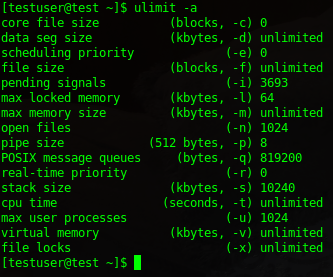
there’s quite a bit of info here, the one we are lookin at specifically is “open files”

from here we need to edit the /etc/security/limits.conf
add the following to the bottom of your configuration file

now verify your configuration:
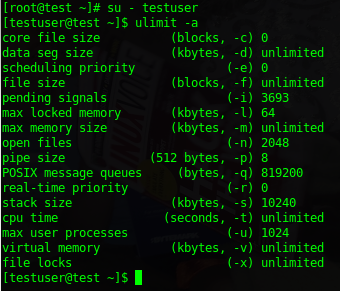
perfect, you have successfully applied a band-aid to your badly broken application. Good luck, this did not however fix the initial issue of the application keeping a certain number of open files, you likely will have to re-up this number in the near future, unless you restart the application daily.
That’s it!
Hosted Linux Servers at www.zwiegnet.com/go
Related guides: Troubleshoot port conflicts Linux | Fixing Broken Packages Linux