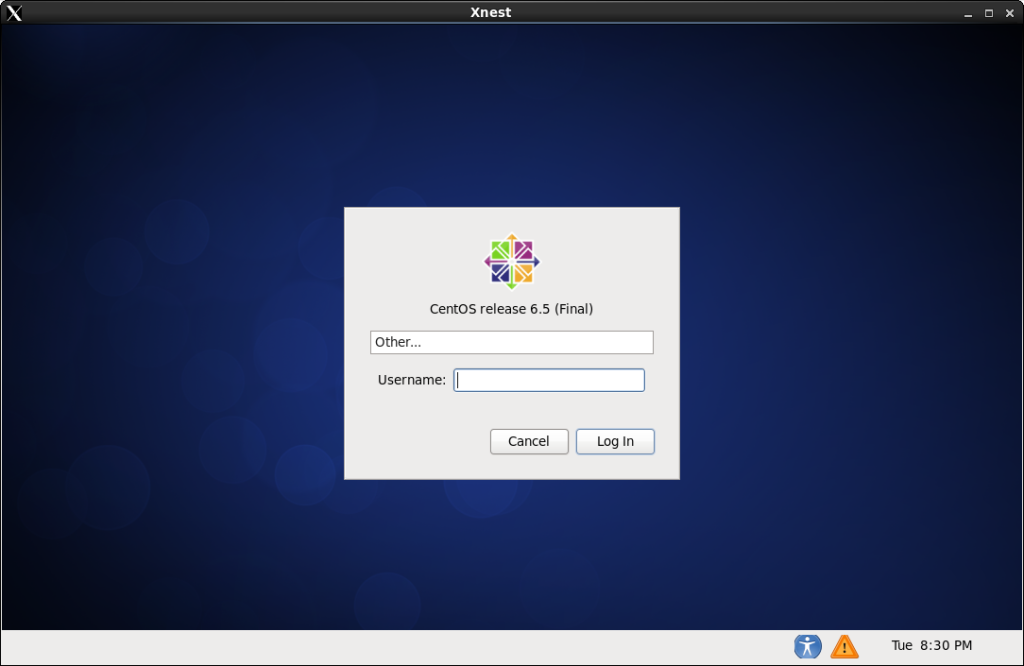
Configure CentOS XDMCP Logins
Configure CentOS XDMCP Logins
Today it’s not uncommon to need to connect to the few of our Linux servers that use GUI’s. The simplest way is to configure it to allow XDMCP logins. Before proceeding you should be aware that this should be used for INTERNAL use only. Let’s get started.
Login, and su to root

from here we are going to edit the gdm custom configuration
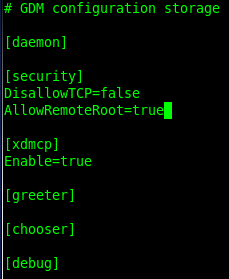
your configuration file should look as follows:
from here we need to restart X for the changes to take place. Do so with the following commands:
init 3, followed by init 5
now we can test from windows using Xming

Perfect, i configured a XDMCP session in Xming Client, and it let me connect just fine!
If you are Using CentOS/Xnest, please check out the following:
http://blog.zwiegnet.com/linux-server/install-xnest-centos-6/
That’s it, Hosted Linux Servers at www.zwiegnet.com/go