
Configure Joomla 3 for TLS LDAP Authentication
Configure Joomla 3 for TLS LDAP Authentication
In this scenario, we have an internally hosted Joomla website, we want to joint it to our Secure TLS LDAP environment. Here’s the basic steps to allow TLS LDAP user accounts/passwords.
Login to the web portal as an administrator user, and browse to “extensions” and then “Plugin Manager”

enable Authentication – LDAP
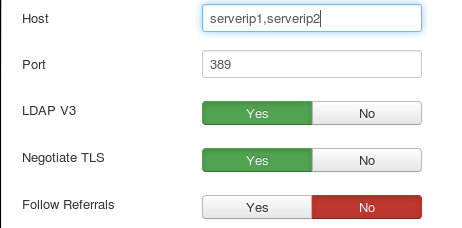
Here’s how we configure the settings:
add your LDAP server ip(s) for the host, and check LDAP V3 (assuming you are up-to-date)
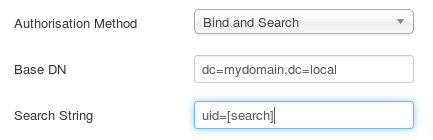
configure the Authorisation method as Bind and Search, and then enter your LDAP base DN, and set the Search String to uid=[search]
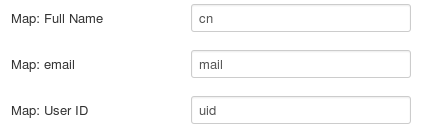
the final settings are configuring the mapping of name/email/uid to the LDAP plugin
from here go to the home page, and test logging in with and LDAP user account, it should work!
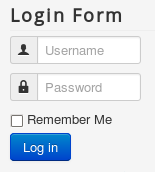
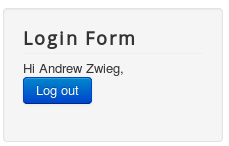
a successfull login looks as follows:
That’s it!
Hosted Linux servers at www.zwiegnet.com/go