
Mount CentOS Partition from Live CD
Mount CentOS Partition from Live CD
This process can be used for LVM, Logical Volumes, or other types of partitions
The reason i am posting this, is because other day i was faced with a tragic break/fix scenario involving CentOS Linux. This was for an ERP server, the users had to manually type in the script name, and that was too much of a burden.
so the IT team at this unnamed company did a quick google, and found this http://stackoverflow.com/questions/12973777/how-to-run-a-shell-script-at-startup
There’s a Tragic side-effect implementing the best answer from Koren……
The script launches for everyone, INCLUDING ROOT, and guess what, you cannot FTP in to remove the script, because it tries to launch on login, how convenient.
So we Downloaded a Live CD, took the Server Down (it was up 900 days), and booted the Live CD
*** NOT RESPONSIBLE FOR ANY DATA LOSS, BE SMART, MAKE A BACKUP BEFORE ANY CHANGE ***
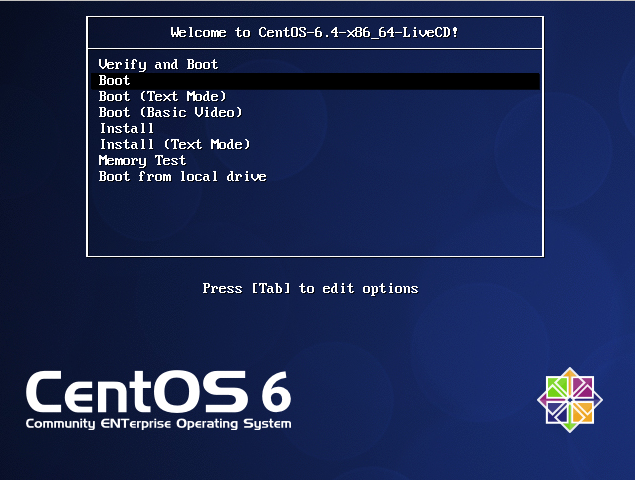
it takes a few minutes to boot, it’s loading everything into RAM
let the auto-login take place, or click login
Select applications, and click terminal
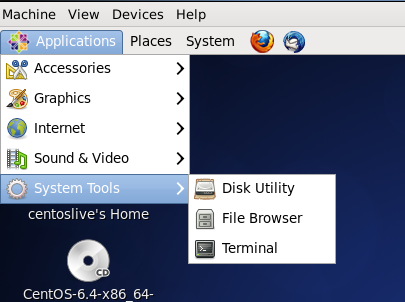
by default, you are logged in as a standard user
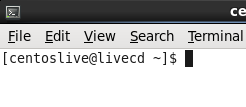
su to root

now we need to make a place to mount our disk to in /mnt (of course)

from here we need to see what are disks are by using fdisk

in this case, the file was added to /etc/profile.d, so that would be in the root logical volume(the one that has lv_root) or whatever yours is, if you did not do defaults
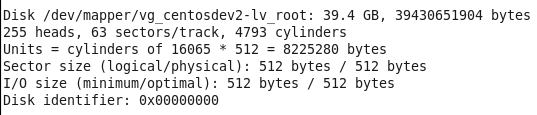
so all we need to focus on is the /dev/mapper….. part, le’ts mount that particular device

now if we do a df -h, we can see the mounted logical volume
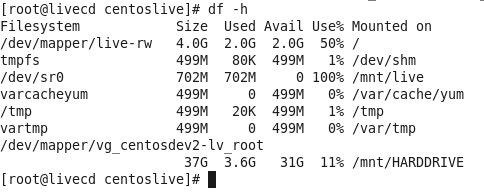
now we can change to the directory to remove the script that caused this whole mess…..

rm Scriptname.sh
That’s it! Reboot, and you will be able to login as root just fine again!
But is that were the Zwiegnet Linux Admins Stopped? NO WAY!
here’s what the customer needed:
http://blog.zwiegnet.com/linux-server/run-a-script-on-login-centos-linux/
Hosted Linux Servers at www.zwiegnet.com/go