
Configure NIS Client CentOS 6
Configure NIS Client CentOS 6
This article assumes you have a NIS server setup and ready to go, if you do not, please visit http://blog.zwiegnet.com/linux-server/configure-nis-server-centos-6/
login as root

install ypbind
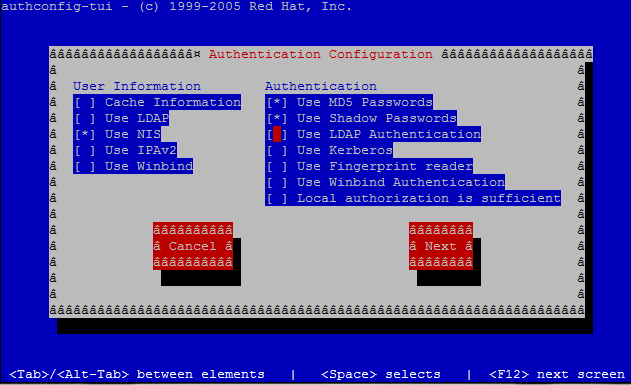
open authconfig-tui

configure exactly as shown, select only NIS and Use MD5 Passwords
type in your NIS domain name, and the IP of the server
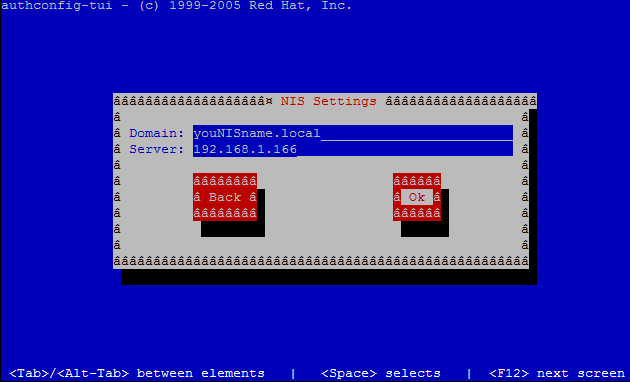
hit ok

this is what a successful bind looks like (if not check the log directory /var/log)
from here all we have to do is test su to an NIS user
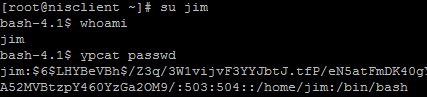
from here we run a few commands
it looks like i’m logged in as jim, and can query the NIS database.
That’s it!
To get a hosted Linux Server visit www.zwiegnet.com/go to get started today!