
Configure LDAP Authentication Zabbix CentOS
Configure LDAP Authentication Zabbix CentOS
LDAP authentication can be very helpful if you have many users that login to the zabbix interface on a regular basis.
The first thing you want to do on your server is see if the php-ldap module is installed

if not, like shown above, install php-ldap and then restart apache afterwards

Login to the Zabbix Web Interace, and Browse to Administration –> Authentication
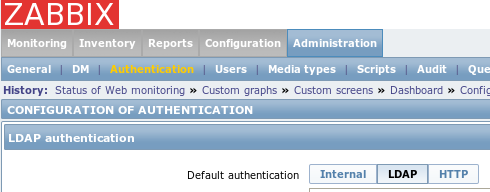
Select LDAP, and configure for your network
Note, that for version 2.2.7, it appears as though you need to have an LDAP user named “Admin”
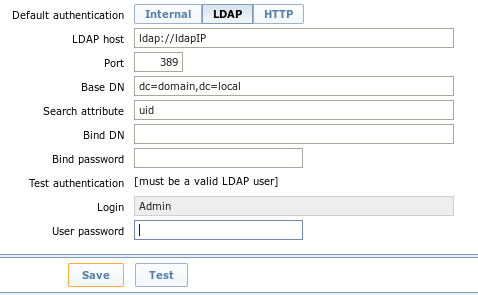
configure as follows for Anonymous bind, if not fill in the Bind DN, and Bind Password, make sure to type the LDAP password for the “Admin” Account, and hit Test/Save
if your settings are configured properly, you should see LDAP configuration changed

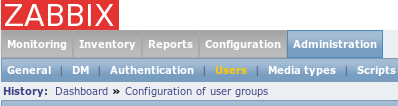
now go to Administration –> Users
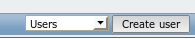
from the drop-down select users, and then create user
configure as follows:
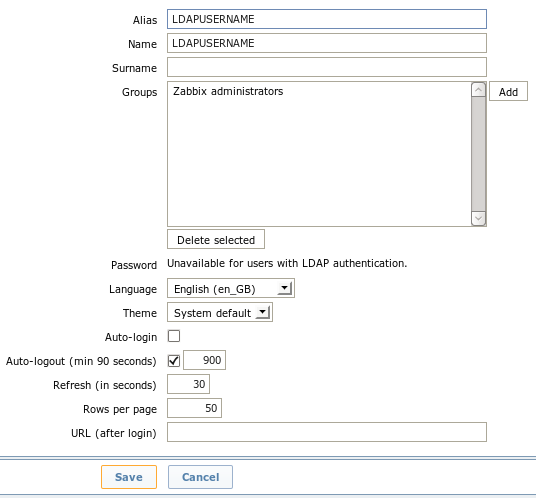
under the permissions tab, also grant the proper permissions.
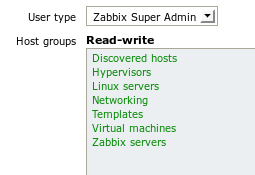
Now you should be able to login with your LDAP Password.
That’s it!
Hosted Linux Servers at www.zwiegnet.com/go