
Remove user from openLDAP command line
Remove user from openLDAP command line
Let’s say our user “Shawn Dawn” was terminated from the company, for a number of reasons. Now it’s time to remove his user account from LDAP, what do we do?
login, and su to root

from here change to /tmp to manipulate the LDAP database

from here take a dump of the LDAP database
from here edit the ldap database

look for the account shawn
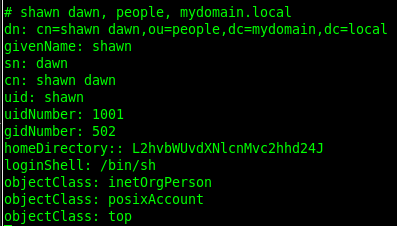
here it is, now we need to get the line numbers with ctrl+c and then :set nu
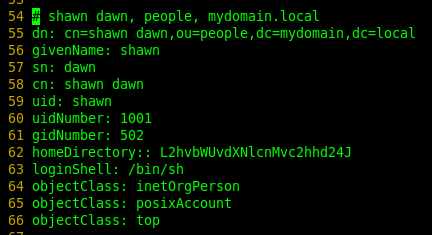
here’s how it looks
now we need to write his account to a file to modify
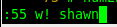
here we are writing line 55 to a file named shawn
vi the file

add the following lines, it should look as so:

basically we are modifying LDAP to delete memberUid shawn
now we need to commit the change to the LDAP database

enter your LDAP admin password

now shawn should be deleted, let’s make sure by re-dumping ldap

vi the LDAP Database

in a search for shawn, pattern was not found!

at this point you should consider removing their home directory as well
we are done!
Hosted Linux servers at www.zwiegnet.com/go