
Forgot Oracle Root Password
Forgot Oracle Root Password
we’ve all been there, where we need to reset the root password… shame, embarrassment  Fortunately there is a quick fix, reboot the server (usually by a power button in this case)
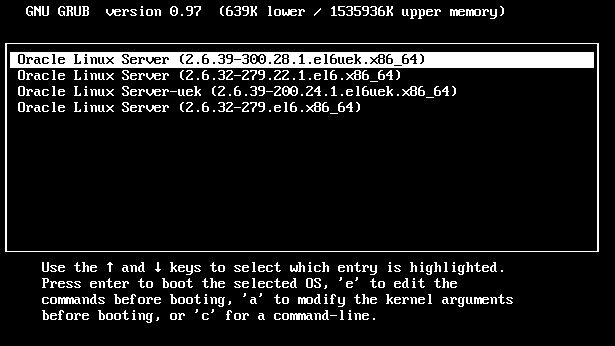
when you get to this screen, hit “a” to modify kernel arguments, go to the end of the line, hit space, and add the number one (this means single user mode)

now we are booted in single user mode

we just have to run the passwd command to reset
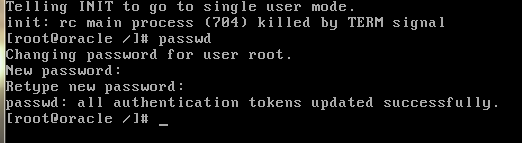
done! Reboot
That’s it!
To Get a Hosted Oracle Linux Server Visit www.zwiegnet.com/go today
Related guides: Choosing a Smart Root Password | Mount CentOS Partition from Live CD