
Configure LDAP over TLS CentOS 6
Configure LDAP over TLS CentOS 6
in this blog we will cover setting up our LDAP server to use StartTLS encryption for communication.
Let’s get Started, Login, and su to root

Part 1 – Generate TSL/SSL Certificate
the first thing we need to do is generate a SSL certificate

from here we are going to make an LDAP.key file

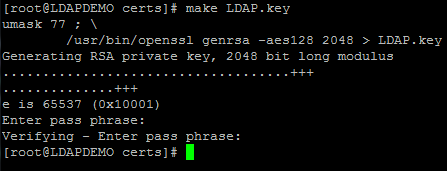
enter a passphrase obviously, and proceed to next step

now generate the certificate, enter the necessary info
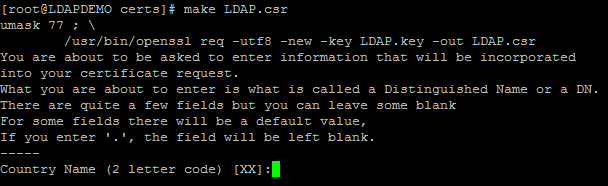
finally we generate the Key

hit enter, and apply final permissions to all files in relation to LDAP

Part 2 – Use Certificate on OpenLDAP
from here create the folder for the certs (if it does not yet exist), and copy the LDAP certs to /etc/openldap/cacerts

set permissions, and the commit the change to the database

from here copy/paste the following:
dn: cn=config
add: olcTLSCertificateFile
olcTLSCertificateFile: /etc/openldap/cacerts/LDAP.crt
–
add: olcTLSCertificateKeyFile
olcTLSCertificateKeyFile: /etc/openldap/cacerts/LDAP.key
now hit “CTRL + D” to Quit
now we have to edit the LDAP config

set line 20, if not yet set this way, so SLAPD_LDAPS=yes
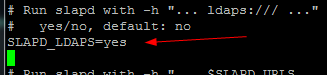
restart LDAP afterwards

That’s it, you have configured LDAP over TLS!
Hosted Linux server at www.zwiegnet.com/go
Related guides: Configure OpenLDAP Server over TLS | 389 Directory Server TLS Client CentOS