
Using stickybit, setuid,setguid permissions CentOS
Using stickybit, setuid,setguid permissions CentOS
A sticky bit is a permission bit that is set on a directory that allows only the owner of the file within that directory or the root user to delete or rename the file. No other user has the needed privileges to delete the file created by some other user
this is useful in multi-user environments, or if you have a folder/file that you need to keep for compliance, SOX, or some other use.
Let’s get started, login, and su to root

change to the directory you want to test with, and create a few directories

Setting for only file/foler:
chmod +t dir2
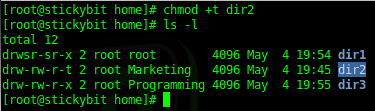
to remove, same thing chmod -t {filename}
on thing to notice: chmod +t does different things if it’s on a file vs folder, notice the t vs T

Setting for User and Group (SUID and GUID):
set sticky bit for only user:
chmod u+s dir1 (u=user, s=sticybit)
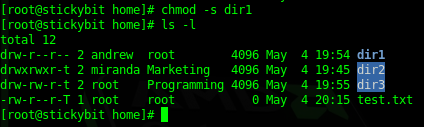
as you can see the user andrew has the sticky bit, but no group sticky bit.
to remove this setting, use chmod -s
set sticy bit for only group:
chmod g+s dir1
chmod (g=group,s=sticky bit)
as you can see ONLY group is set.
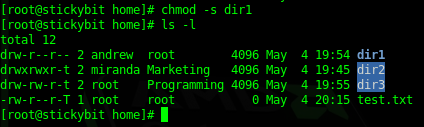
to remove this setting, use chmod -s
set sticky bit for both user/group:
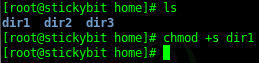
chmod +s dir1
now do a ls -l, you should see the following:

as you can see, ther eis a S on the user/group portion of the permissions, and no matter how you change the permissions, the sticky bit will remain.
as a result of the stick bit, now only the directory owner, or the root user (in this case it’s the same, but could be different) are the only 2 entities that can remove the sticky bit.
to remove the sticky bit, type the following as either the owner, or the root user
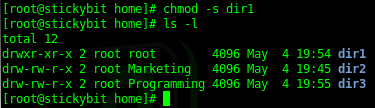
That’s it!
Hosted Linux Servers at www.zwiegnet.com/go