Configure Ceph on Almalinux 9
Ceph is a free and open-source, software-defined storage platform that unifies object, block, and file storage into a single distributed cluster. It runs on standard hardware, scales to massive levels, and heals itself automatically if a part of the system breaks.
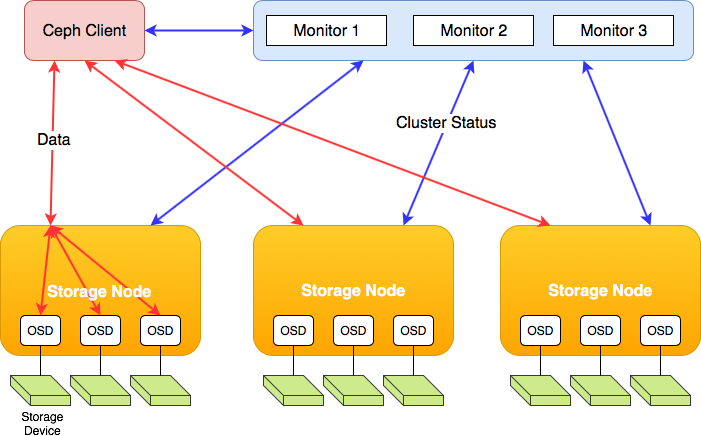
3 nodes (Storage Node):
ceph-1, ceph-2, ceph-3
Storage Disks (OSD):
ceph-1-storage (20G), ceph-2-storage (20G), ceph-3-storage (20G)
Things to make sure of:
1) SELinux Disabled
2) Firewalld Disabled
3) Time Synced
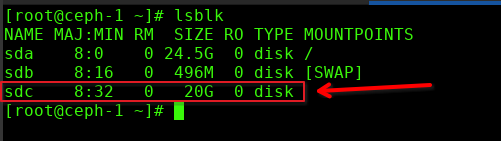
4) Disks are Present
5) This is a LAB, do not use Public IPS, but rather Internal/Cluster specific networks
Ceph-1/Ceph-2/Ceph-3:
Install Cephadm:
dnf install –assumeyes centos-release-ceph-reef
dnf install –assumeyes cephadm
make sure cephadm is installed:

Install ceph-common:
dnf install –assumeyes epel-release
dnf config-manager –set-enabled crb
dnf install –assumeyes https://apache.jfrog.io/artifactory/arrow/almalinux/9/apache-arrow-release-latest.rpm
dnf install –assumeyes ceph-common
Verify we are starting with the correct/matching versions:

CEPH-1 (ONLY):
Setup Monitor/Primary ip:
cephadm bootstrap –mon-ip <node1-ip>
[root@ceph-1 ~]# cephadm bootstrap –mon-ip 172.238.172.196
Verifying podman|docker is present…
Verifying lvm2 is present…
Verifying time synchronization is in place…
Unit chronyd.service is enabled and running
Repeating the final host check…
podman (/usr/bin/podman) version 5.8.2 is present
systemctl is present
lvcreate is present
Unit chronyd.service is enabled and running
Host looks OK
Cluster fsid: 27e0244c-8a1e-11f1-af56-220043e502f7
Verifying IP 172.238.172.196 port 3300 …
Verifying IP 172.238.172.196 port 6789 …
Mon IP `172.238.172.196` is in CIDR network `172.238.172.0/24`
Mon IP `172.238.172.196` is in CIDR network `172.238.172.0/24`
Internal network (–cluster-network) has not been provided, OSD replication will default to the public_network
Pulling container image quay.io/ceph/ceph:v18…
Ceph version: ceph version 18.2.8 (efac5a54607c13fa50d4822e50242b86e6e446df) reef (stable)
Extracting ceph user uid/gid from container image…
Creating initial keys…
Creating initial monmap…
Creating mon…
firewalld ready
Enabling firewalld service ceph-mon in current zone…
Waiting for mon to start…
Waiting for mon…
mon is available
Assimilating anything we can from ceph.conf…
Generating new minimal ceph.conf…
Restarting the monitor…
Setting public_network to 172.238.172.0/24 in global config section
Wrote config to /etc/ceph/ceph.conf
Wrote keyring to /etc/ceph/ceph.client.admin.keyring
Creating mgr…
Verifying port 0.0.0.0:9283 …
Verifying port 0.0.0.0:8765 …
Verifying port 0.0.0.0:8443 …
firewalld ready
Enabling firewalld service ceph in current zone…
firewalld ready
Enabling firewalld port 9283/tcp in current zone…
Enabling firewalld port 8765/tcp in current zone…
Enabling firewalld port 8443/tcp in current zone…
Waiting for mgr to start…
Waiting for mgr…
mgr not available, waiting (1/15)…
mgr not available, waiting (2/15)…
mgr not available, waiting (3/15)…
mgr is available
Enabling cephadm module…
Waiting for the mgr to restart…
Waiting for mgr epoch 5…
mgr epoch 5 is available
Setting orchestrator backend to cephadm…
Generating ssh key…
Wrote public SSH key to /etc/ceph/ceph.pub
Adding key to root@localhost authorized_keys…
Adding host ceph-1…
Deploying mon service with default placement…
Deploying mgr service with default placement…
Deploying crash service with default placement…
Deploying ceph-exporter service with default placement…
Deploying prometheus service with default placement…
Deploying grafana service with default placement…
Deploying node-exporter service with default placement…
Deploying alertmanager service with default placement…
Enabling the dashboard module…
Waiting for the mgr to restart…
Waiting for mgr epoch 9…
mgr epoch 9 is available
Generating a dashboard self-signed certificate…
Creating initial admin user…
Fetching dashboard port number…
firewalld ready
Ceph Dashboard is now available at:
URL: https://172-238-172-196.ip.linodeusercontent.com:8443/
User: admin
Password: test123
Enabling client.admin keyring and conf on hosts with “admin” label
Saving cluster configuration to /var/lib/ceph/27e0244c-8a1e-11f1-af56-220043e502f7/config directory
Enabling autotune for osd_memory_target
You can access the Ceph CLI as following in case of multi-cluster or non-default config:
sudo /usr/sbin/cephadm shell –fsid 27e0244c-8a1e-11f1-af56-220043e502f7 -c /etc/ceph/ceph.conf -k /etc/ceph/ceph.client.admin.keyring
Or, if you are only running a single cluster on this host:
sudo /usr/sbin/cephadm shell
Please consider enabling telemetry to help improve Ceph:
ceph telemetry on
For more information see:
https://docs.ceph.com/en/latest/mgr/telemetry/
Bootstrap complete.
[root@ceph-1 ~]#
[root@ceph-1 ~]#
browse to https://ip-address:8443
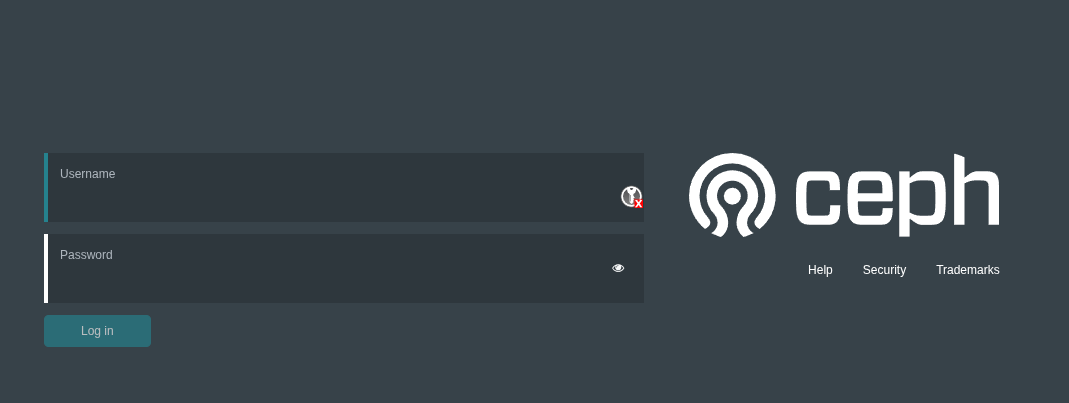
once you enter the default password, you will have to change it
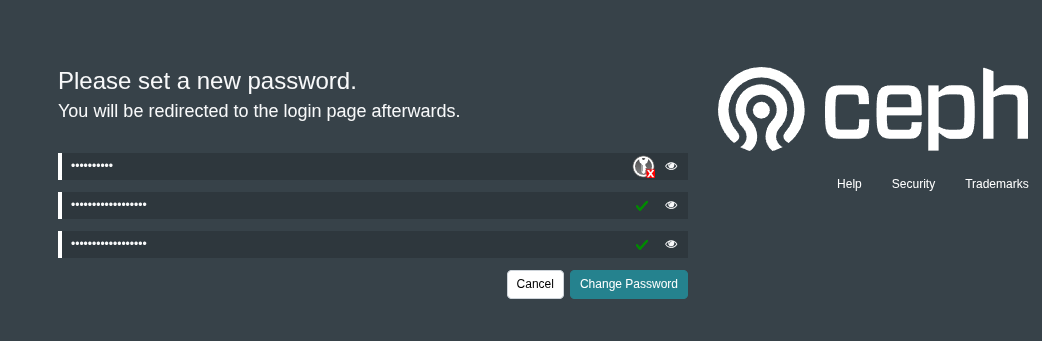
now login again
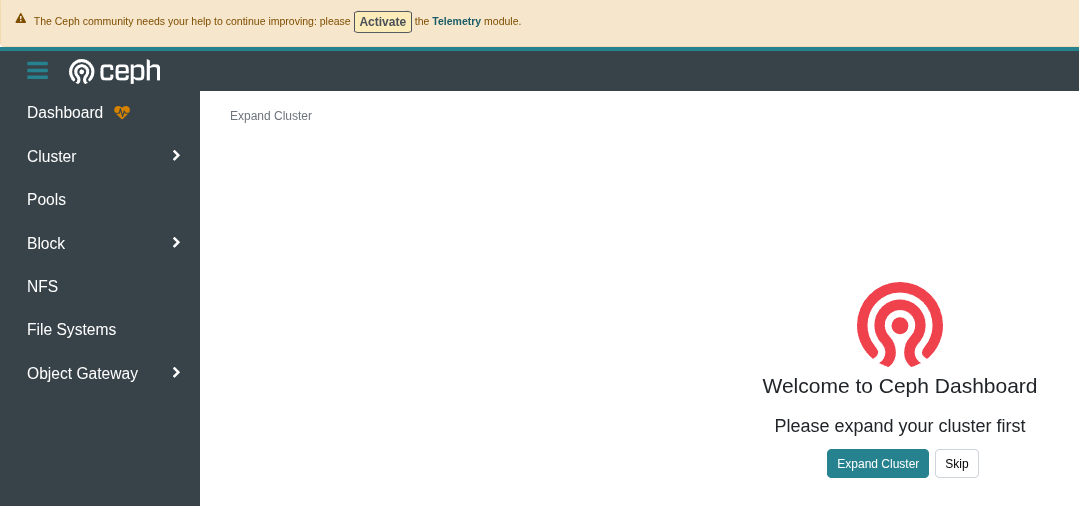
now check the cluster health
cephadm shell — ceph -s
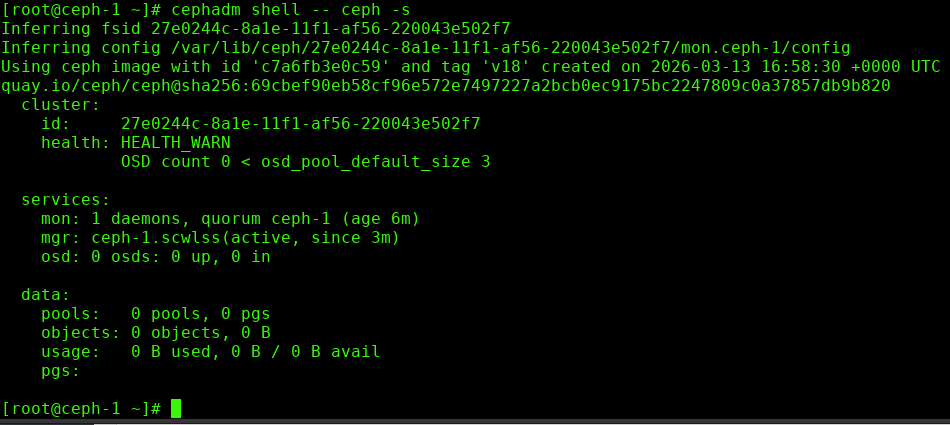
In this case, we just have one node, it needs at least 3, so it is giving us the warning for the cluaster that there is one node, and should be 3.
ok, now we need to copy the ceph keys to the rest of the cluster
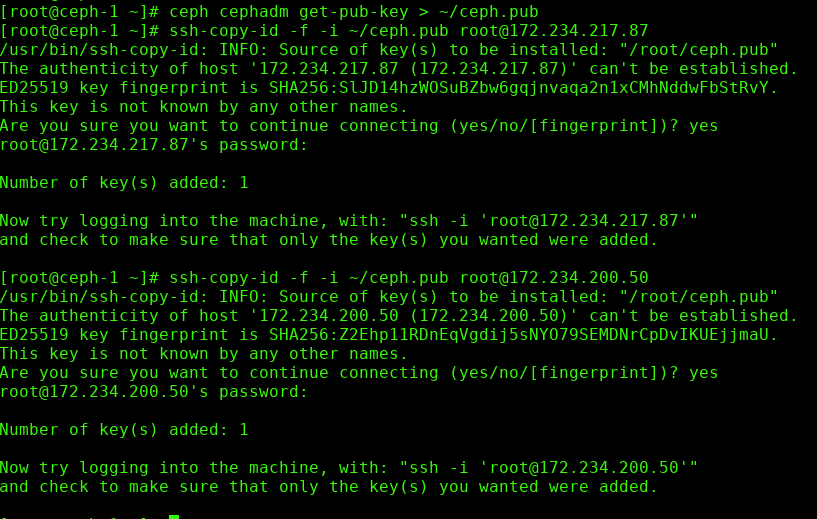
once the keys are added, we need to add the other 2 nodes to the cluster


now confirm all 3 nodes are part of the same cluster:
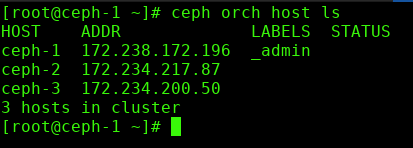
now look at all the disks/devices and see what’s available. We should have 3 disks for the OS, and 3 disks (20G each) for the ceph storage

add storage to node 2

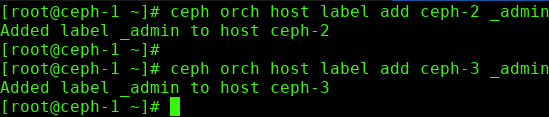
add admin to other nodes:
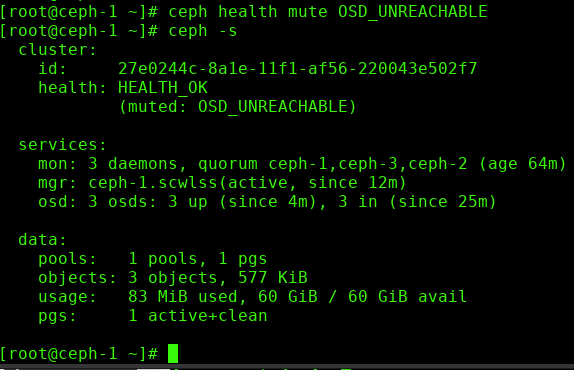
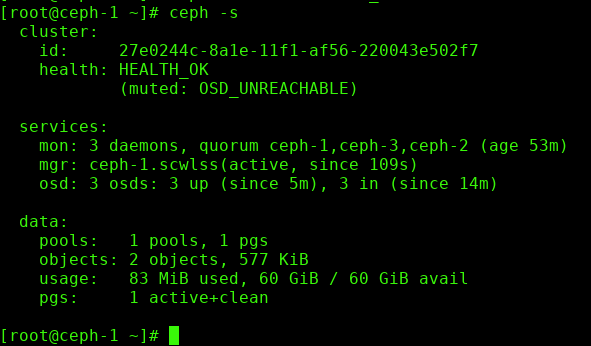
now if all is correct, you should have a health good status:
Test Replication Works:
create a file, import


verify what nodes it replicated to:

test node failure:

in this case we stopped a node, it can read the file, we start it back up again
if you see this health error, it’s a well-documented bug, and can be silenced/ignored
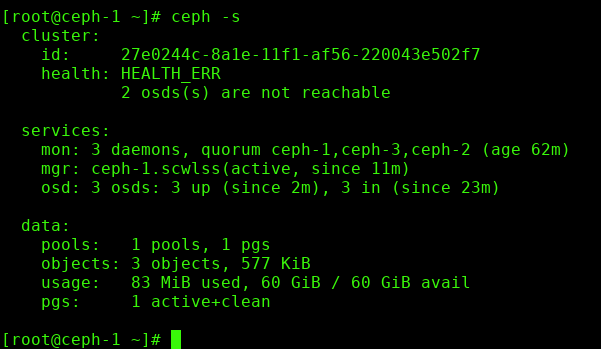
howto fix: